How to Detect AI Hallucinations and Prevent Costly Mistakes in Everyday AI Tools
· 19 min read

Imagine this: You ask your AI powered assistant a simple question about your sales data. It gives you a fast, confident answer. You share it in a meeting. Later, you find out the numbers were completely made up.

This is not a rare glitch. It is an everyday ai problem called AI hallucination.
These hallucinations are a huge barrier to trusting everyday ai tools in business. They create bad information, waste time, and can hurt your reputation. In fact, recent research shows that AI hallucinations are costing businesses $67.4 billion a year (Business Impact of AI Hallucinations – Rates & Ranks). That is a massive number, and it explains why companies are getting serious about checking AI output.
Industry experts predict that by 2026, up to 60% of AI output will need to be verified before it can be trusted. This means building detection skills into your routine is no longer optional. Whether you use an Excel AI plugin or AI project management tools, knowing how to spot these errors protects your work.
This guide gives you experience-backed methods to detect, prevent, and mitigate hallucinations. We cover practical steps you can take right now, from simple checks to smarter workflows. For a deep dive into the core techniques, see our guide on how to detect and prevent AI hallucinations for reliable AI outputs. And before you trust any AI output, always verify it. Fluent AI output can still be wrong. Check AI Before Trusting.
What Are AI Hallucinations and Why Do They Happen?
But what exactly is happening inside the AI when it gives you that confident wrong answer? Let’s break it down.
An AI hallucination is when a model generates information that sounds plausible but is completely false or made up. The output feels confident. The grammar is perfect. The logic seems solid. But the facts are wrong. This happens because large language models (LLMs) do not actually understand truth. They are pattern prediction engines. They guess the next most likely word based on the data they were trained on.
According to the LLM Hallucinations in 2026 guide, these models produce output that looks plausible but is factually wrong or unsupported by evidence. That is the core problem.
Why Do Hallucinations Happen?
There are several root causes, and they all trace back to how these systems are built.
-
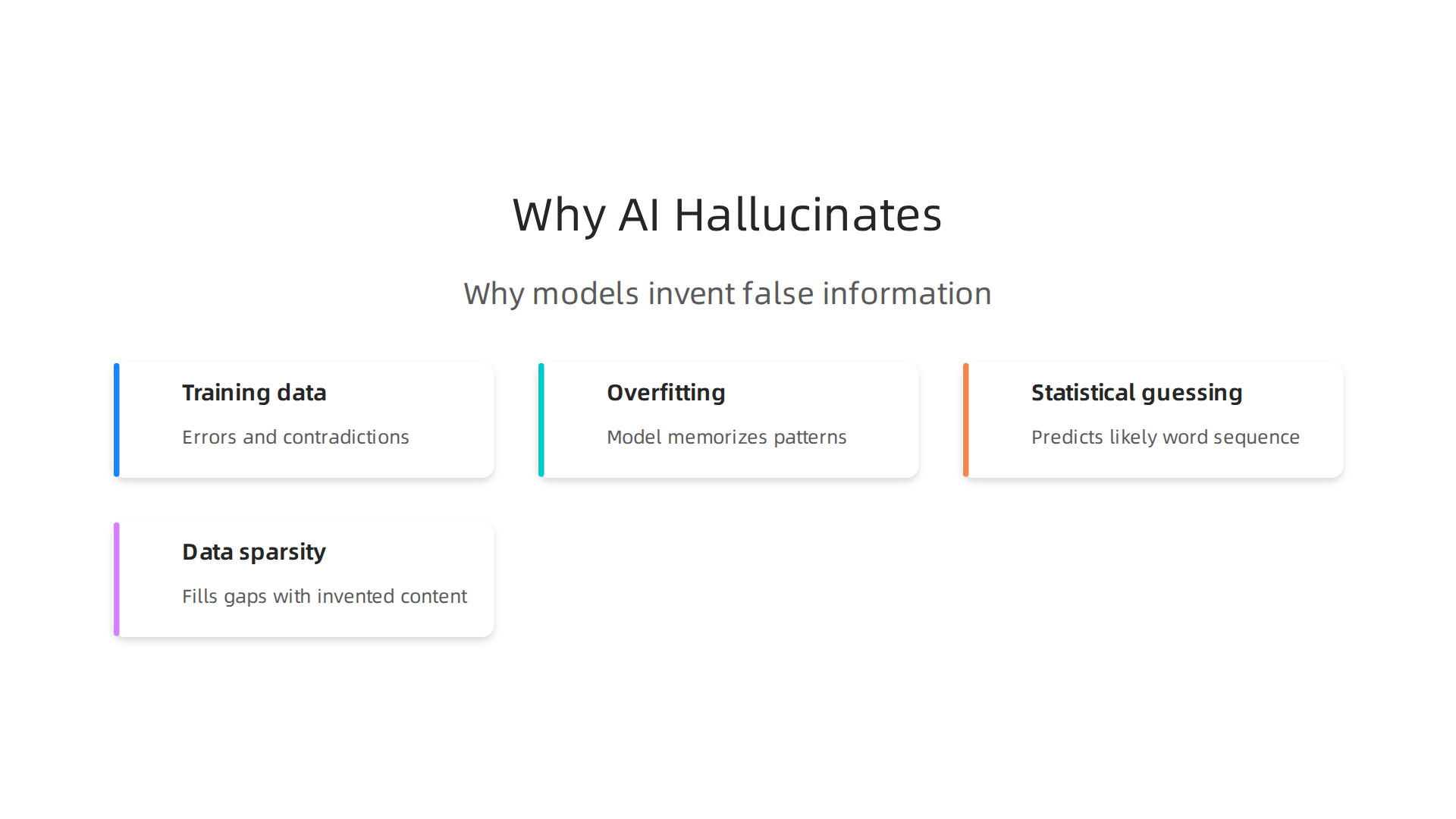
Training data problems. AI models learn from massive datasets scraped from the internet. If the data contains errors, myths, or contradictions, the model learns those too. Biased or low-quality training data directly leads to hallucinations.
-
Overfitting. Sometimes a model memorizes specific patterns from its training data too tightly. When asked something slightly different, it tries to force an answer from those patterns instead of reasoning fresh.
-
Statistical guessing. LLMs are probabilistic. They do not look up facts like a database. They calculate the most likely sequence of words. That works great for creative writing, but for factual questions it’s a gamble. Every response is a prediction, not a retrieval.
-
Data sparsity. When the model encounters a topic with little or conflicting information in its training set, it fills the gap with plausible-sounding but invented content. The less data available, the more likely a hallucination occurs.
Understanding these causes is the first step toward building better detection habits. When you know the AI is just guessing with confidence, you stop treating its output as truth. This awareness is critical for anyone using everyday AI tools, whether you rely on an Excel AI helper or AI project management tools to run your business.
For a deeper look at the specific mechanisms behind these errors, check out our detailed explanation on what causes AI hallucinations. And if you want to explore how these issues connect to larger patterns of AI misinformation, Dean Grey’s profile as Cartographer of Drift (Miraka Magazine) offers a fascinating perspective on AI hallucinations and the concept of Synthetic Drift.
Common Types of Hallucinations in Everyday AI Use
Knowing why hallucinations happen is one thing. Recognizing them in the wild is another. When you use an everyday AI tool, whether it’s an AI powered assistant that drafts emails or an Excel AI that analyzes spreadsheets, the mistakes tend to fall into a few predictable patterns. Spotting the type helps you know how seriously to take the output.
Researchers group AI hallucinations into two broad categories: intrinsic and extrinsic. Intrinsic hallucinations contradict the user’s original input, like when you ask for a summary and the AI includes facts you never provided. Extrinsic hallucinations add information that cannot be verified from the source at all, such as inventing a study that doesn’t exist. The AI hallucinations categories guide from Bloomfire explains this distinction well.
For everyday users, three types of errors show up most often:
Factual errors. This is the big one. The AI states a ”fact” that is simply wrong: a date, a statistic, a person’s title, a product name. You see this constantly in summaries, automated reports, and data analysis. Your Excel AI might calculate a trend line correctly but then write a conclusion that misunderstands the numbers. Any everyday AI tool that generates text based on data can produce these factual hallucinations.
Logical inconsistencies. The AI contradicts itself within the same response. It might state that a process has three steps and then later list four. Or it gives a conclusion that does not follow from the evidence it just cited. These slips feel like human carelessness, but they are actually the model losing track of its own pattern.
Source attribution failures. The AI names a source that does not exist, or claims a quote came from a specific person when it did not. This is dangerous for anyone using AI to research a topic. If you feed an AI project management tool a set of requirements and it fabricates a compliance citation, your whole project could rest on fake authority.
Everyday users bump into factual hallucinations more than any other type. That is because most AI tools are designed to sound confident and thorough, even when the data is thin. The best defense is to treat every factual claim from an AI as a lead, not a truth.
Once you can name the hallucination type, you can pick the right fix. For factual errors, a quick cross-check with a reliable source works. For logical inconsistencies, re-reading the output or asking the AI to explain its reasoning helps. For source attribution failures, go directly to the original document if possible. If you want a deeper walkthrough of detection techniques, check out our guide on how to detect and prevent AI hallucinations for reliable AI outputs.
Remember: fluent AI output can still be wrong. Build the habit of Check AI Before Trusting into your daily workflow, especially when the stakes involve data, money, or customer trust.
Real-World Business Consequences of AI Hallucinations
Spotting a hallucinated statement in a chatbot reply might feel like a small problem. But when that same mistake appears in a business report, a legal filing, or a customer-facing email, the cost goes way up. The consequences of trusting an everyday AI output without verifying it can hit your company in three serious ways: reputation damage, legal trouble, and direct financial loss.

The numbers back this up. According to the AI Hallucination Statistics 2026 data, 51% of organizations that use AI have already seen at least one negative consequence from a hallucinated output. Nearly one-third of those incidents led to measurable harm. Across all industries, the annual price tag for AI hallucinations has climbed to $67.4 billion, as detailed in the Business Impact of AI Hallucinations report. That number covers everything from rework and lost sales to legal settlements and customer compensation.
High-profile cases show the real-world stakes. An AI powered assistant used in healthcare gave incorrect medical advice that led to a misdiagnosis. A legal team trusted an AI tool that fabricated court citations, wasting months of work and damaging their credibility. Financial analysts relying on Excel AI outputs have made investment decisions based on numbers the model simply invented. These aren’t theoretical risks. They are happening right now.
Reputational damage is often the hardest to fix. Once customers or partners realize your business relies on unchecked AI outputs, trust erodes quickly. The misinformation, brand safety, and cybersecurity risks discussed by Berkeley researchers show that major brands have lost significant value after AI mistakes went public.
Legal liability is another growing concern. If your AI project management tools generate a compliance report with false regulatory citations, your company could face fines or lawsuits. The same applies to contracts, financial statements, and any document where accuracy matters.
The good news is that most of these outcomes are preventable. Building a habit of verification into your workflow makes a huge difference. For a deeper look at detection methods, read our guide on how to detect and prevent AI hallucinations to avoid costly mistakes. And if you want to understand how two different AI systems are silently shaping your everyday decisions at work, check out this field note on how two different AI systems are quietly hijacking your collaboration.
The cost of ignoring hallucinations is too high. Treat every AI output as a draft, not a final answer. Your reputation, your budget, and your team will thank you.
How to Detect AI Hallucinations (Manual & Automated)
So how do you catch these mistakes before they cause real damage? You have two main approaches: manual checks you can do yourself, and automated tools that scan for errors. The smartest strategy uses both.
Manual Detection: What You Can Do Right Now
The simplest way to spot an everyday AI mistake is to treat every output like a first draft. Cross-reference any facts, statistics, or quotes against trusted sources.

If the AI claims a specific number or event, type that claim into a search engine and verify.
Look for internal consistency too. Does the response contradict itself from one paragraph to the next? Does it use vague language like "some studies suggest" without naming any actual study? These are red flags. You can also apply established fact-checking frameworks like the SIFT method (Stop, Investigate the source, Find better coverage, Trace claims back to the original). A detailed walkthrough of manual verification techniques is available in this guide on how to detect hallucinations in LLM applications.
Automated Detection: Let the Tools Help
Manual checking works, but it takes time. That is where automated tools come in. In 2026, several types of software can flag hallucinations for you:
- Confidence scoring systems that tell you how sure the AI is about each part of its answer
- Retrieval-augmented generation (RAG) checkers that compare the output against a known database of facts
- Specialized hallucination detectors that scan for common error patterns
These tools use methods like factuality scoring and groundedness measurement to catch mistakes in real time. For a look at the best options available right now, check out this comparison of hallucination detection tools for LLM applications.
The Layered Approach Works Best
Neither manual nor automated detection is perfect on its own. Manual checks miss subtle patterns that machines catch. Automated tools flag things that humans might overlook but still need a person to verify. Combining both gives you the highest accuracy.
Start with automated screening to identify the riskiest outputs. Then do manual spot checks on the ones that matter most. For a practical step-by-step method, read about how to build an AI fact-checker workflow that catches costly mistakes before they reach your customers.
Building this habit into your routine takes some effort at first, but it quickly becomes second nature. And remember: Check AI Before Trusting. Fluent AI output can still be wrong. Verify first, act second.
Practical Techniques to Prevent Hallucinations
Now that you know how to spot mistakes, let us talk about stopping them before they happen. Prevention is always better than cleanup. With a few smart techniques, you can make your everyday AI tools far more reliable from the start.
Prompt engineering is your first line of defense. The way you ask a question shapes the answer you get. Vague prompts invite vague responses. Specific prompts keep the model focused. Here are three prompt strategies that work well:
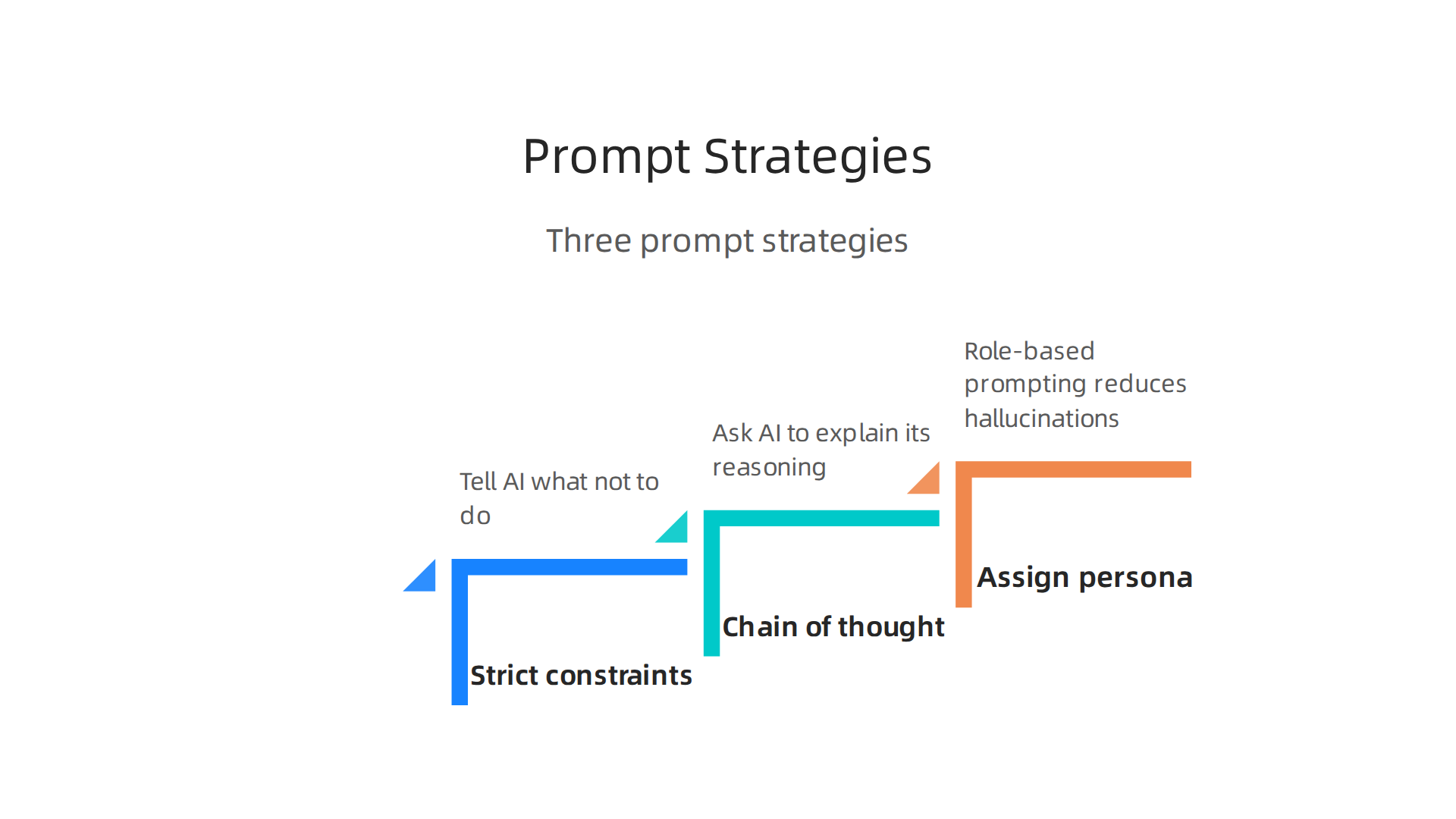
- Add strict constraints. Tell the AI exactly what not to do. For example, say "Only use facts from the provided document. Do not add outside information." This narrows the model’s scope and cuts down on guesswork.
- Use chain-of-thought prompting. Ask the AI to explain its reasoning step by step before giving a final answer. This forces the model to check its own logic along the way.
- Assign a persona. Say "You are a data analyst with 20 years of experience. Cite your sources." Role-based prompting can reduce hallucinations significantly. In fact, a detailed guide on prompt engineering methods to reduce hallucinations explains how these tactics constrain the model and improve accuracy.
System-level interventions give you the strongest protection. The most powerful technique today is Retrieval-Augmented Generation, or RAG. Instead of letting the AI rely only on its training data, RAG pulls real-time facts from a trusted database you control. The answer is checked against what you already know to be true. However, RAG still has limits. Using structured data alongside unstructured text can improve accuracy even more. A helpful overview of RAG hallucination and how to avoid it walks you through this layered approach.
Grounding your AI in verified data sources is a smart investment. For a deeper look at how data integration prevents errors at the source, read this guide on cloud based data integration reduces AI hallucinations.
Tweak the model settings too. Every AI model comes with knobs you can adjust. Two of the most important are temperature and top-p. Lower temperature values (closer to 0) make the model pick the most likely next word every time. This reduces creativity but also reduces mistakes. Higher temperature values make the model more creative but also more prone to hallucination. For factual tasks, keep the temperature low. You can also evaluate the model’s hallucination rate before using it. One method involves calculating a probability of hallucination before the model generates any output, which gives you a baseline for trust.
Putting all of this together gives you a reliable prevention system. Start with clear prompts. Ground the AI in your own data. Keep the creative settings low for factual tasks. These simple steps make your everyday AI tools far safer to use.
Even the best prevention methods benefit from understanding how systems are built to reinforce accuracy. One example is the patented Value Reinforcement System (VRS), which provides a structured framework for verifying AI outputs. You can learn more about the VRS Patent 12,205,176 if you want to see how formal verification systems work behind the scenes.
Building a Verification Workflow for Your Team
Prevention techniques work well for one person. But when a whole team uses everyday AI tools, you need a repeatable system. A verification workflow turns scattered checks into a reliable process.

It makes sure no bad output reaches your audience.
**A good workflow has four parts.
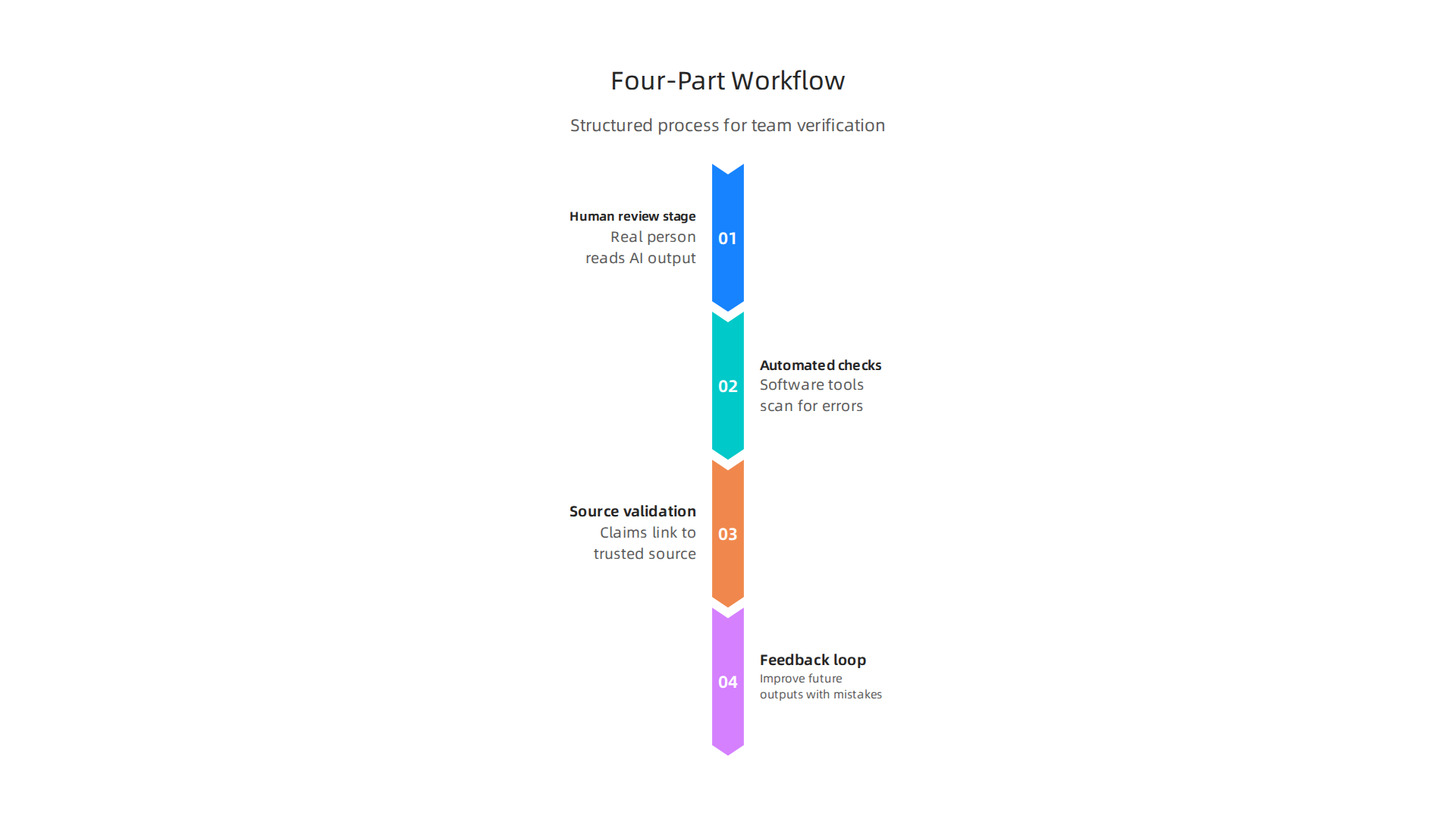
** First comes the human review stage. A real person reads the AI output and watches for anything that feels off. Second are automated checks. Software tools scan for factual errors, missing citations, or contradictions. Third is source validation. Every claim the AI makes should link back to a trusted source you can verify. Fourth is a feedback loop. When someone catches a mistake, that information goes back into the system to improve future outputs.
This layered approach catches problems that any single method would miss. Tools like VeriTrail help teams by providing a way of detecting hallucination and tracing provenance in multi-step AI workflows across your shared processes.
Assign clear roles. A verifier checks the AI output against original sources. An approver gives the final go-ahead before anything goes public. These two roles should be separate to create natural checks and balances. Use collaborative tools to track every input and output. When a mistake does happen, you can trace it back to the exact prompt and model that caused it.
For a deeper look at setting up these checks, read this guide on building an AI fact checker workflow that catches costly mistakes before they spread.
Keep the workflow current. Models change fast. The settings that worked last month may not work today. Run regular audits of your team’s AI outputs. Track how many errors slip through and where they come from. Update your guidelines every quarter based on what you learn. This keeps your everyday AI tools reliable even as the technology evolves.
Pay attention to signals from your ai powered assistant too. Many tools have built-in monitoring features that flag unusual outputs. Use those signals to refine your workflow over time.
A verification workflow is about building trust. When your team knows every output has been checked by both humans and machines, you can use AI with confidence. But never skip that final human step. Fluent AI output can still be wrong. Always Check AI Before Trusting.
The Future of AI Reliability and Next Steps
A verification workflow is a smart start. But the field is moving fast, and new technologies are changing how we handle AI reliability. Two emerging patents show where the industry is heading.
First is the Value Reinforcement System (VRS), a new approach that uses permission-based signals to stop hallucinations before they start. Instead of guessing when a model might go wrong, VRS sets clear boundaries on what data the AI can use and when. You can read more about the VRS Patent 12,205,176 co-invented by Dean Grey. This system treats data loss and simulation as permission problems rather than technical failures.
On the other side, Meta has developed a simulation-based patent that lets AI models re-create lost data through guesswork. Compare Meta’s simulation patent to see how these two philosophies differ. One restricts, the other fills gaps. For anyone using everyday AI, understanding these differences helps you choose which models to trust.
Regulatory pressure is also accelerating change. Governments and industry bodies are demanding better transparency and lower error rates. Companies that ignore this will face compliance headaches. Forward-thinking teams are already measuring their hallucination risks with frameworks like LLM hallucination rate evaluation for engineering that compute a probability of error before the model even responds.
The lesson is clear: the organizations that adopt proactive verification now will lead. Your ai powered assistant will only become more capable, but only if you build the right checks around it. Staying ahead means not just fixing errors but choosing tools and models that prioritize accuracy from the start.
For a deeper dive, look at how AI monitoring tools that catch hallucinations can help you stay current as the technology evolves.
Verification is not a one-time project. It is an ongoing practice. The basics will only get you so far. The teams that succeed will be the ones that keep learning, keep testing, and keep demanding better from every AI system they use.
Expert Insights and Case Studies
You have the theory and the patents. Now let us look at what actually works in the real world. The teams that solve the everyday AI reliability problem do not just add one fix. They build systems that combine technical controls with deep cultural change.
Leading AI researchers agree on this point. Technical fixes alone are not enough. You also need a culture where people feel safe questioning AI outputs and where continuous learning is normal. In fact, researchers emphasize that involving human experts in AI evaluation is essential for catching errors that automated checks miss. This means your team needs the skills and the confidence to challenge what the machine says.
Some early adopters of this approach have seen stunning results. Case studies from companies using a multi-layered verification strategy report cutting hallucination incidents by 70 percent or more. They do this by combining several methods at once. For example, they use retrieval-augmented generation to ground the AI in real data. They apply prompt engineering to set clear boundaries. And they run regular human reviews to catch what the automated systems miss.
One of the biggest lessons from these case studies is the value of continuous training. AI models change over time. Your team needs to stay updated on the latest detection techniques. You can learn more about how AI engineers prevent hallucinations and build trust into every system they deploy. The researchers also stress the importance of cross-department collaboration. The marketing team, the engineering team, and the compliance team all need to work together. Each group sees different risks and brings different solutions.
For teams just starting this journey, a good place to begin is with a structured verification workflow. The Cartographer of Drift (Miraka Magazine) profile explores how one expert is rethinking AI hallucinations and authority displacement at a fundamental level. It shows you what a thoughtful, permission-based approach looks like in practice.
Here is the bottom line. The companies that treat AI reliability as a team sport rather than a solo engineering project are the ones that succeed. They build the right checks, they train their people, and they never stop learning. That is how you make everyday AI trustworthy for the long haul.
Summary
This article explains AI hallucinations—when models produce fluent but factually wrong or fabricated outputs—why they happen, and why they matter for everyday business tools like AI assistants and Excel AI plugins. It shows the common root causes (training data issues, statistical guessing, overfitting, data sparsity), the typical error types you’ll see (factual mistakes, logical inconsistencies, false source attributions), and the real-world costs such mistakes create. The guide then gives practical, experience-backed defenses: immediate manual checks, automated detection tools (confidence scoring, RAG, specialized detectors), prompt-engineering tactics, model-setting adjustments, and layered team verification workflows. It emphasizes combining automated screening with human review, assigning verifier/approver roles, and continuously auditing systems so teams can safely adopt AI without sacrificing accuracy or trust.