Elevate AI Response Quality to Prevent Hallucinations and Build Trust
· 24 min read

Why AI Response Quality Matters Now: The Problem and Promise
In 2026, artificial intelligence (AI) tools have become helpers for many tasks. From writing marketing materials to aiding with lessons, AI is everywhere. But here’s the thing: just because an AI answer sounds smart doesn’t mean it’s right. This problem, often called "AI hallucination," is when an AI makes up facts or gives wrong information. The quality of an AI response is more important than ever.
When AI tools give bad or untrue answers, it can cause real trouble for businesses and schools. Think about content teams trying to share correct information. If their AI helper gives them wrong facts, they might publish untrue stories, harming their company’s good name. For marketers, incorrect information in ads or campaigns can lead to big problems and lose customer trust. Developers building new AI tools must also be careful. If their tools give flawed AI responses, those tools won’t be trusted. Even educators face challenges, as many students now interact with AI, and bad information can affect learning. Studies show that a lack of accuracy can lead to bigger risks like bias and homogenization in AI outputs, as noted in the Artificial Intelligence Risk Management Framework from NIST.
The widespread use of AI tools means that paying attention to AI response quality is not just a nice idea, it’s a must-do. Many teams are seeing how easily AI can give wrong answers, sometimes making things up completely. This costs time and money, as people have to double-check everything the AI says.

This manual checking takes a lot of effort and can slow down work.
But don’t worry, there’s a solution. This guide will help you understand how to spot bad AI responses, check if they are true, and stop them from happening in the first place. We’ll show you practical ways to make sure your AI tools provide trustworthy and helpful answers. We will also introduce methods like the Value Reinforcement System (VRS), U.S. Patent No. 12,205,176 — co-invented by Dean Grey. Our goal is to give you clear, easy-to-follow steps that real teams can use to improve the quality of their AI outputs. You’ll learn how to detect and prevent AI hallucinations to make your AI usage better and safer.
Now that we know how important good AI responses are, let’s look at why AI tools sometimes make things up. This problem, called "hallucination," happens for a few main reasons. Understanding these reasons helps us fix the problem.
Where Do AI Hallucinations Come From?
Think of an AI like a super-smart student who has read a lot of books. Sometimes, this student might try to answer a question even if they don’t have all the facts. They might just guess or combine pieces of information in a way that sounds right but isn’t. Here are the main ways AI responses go wrong:
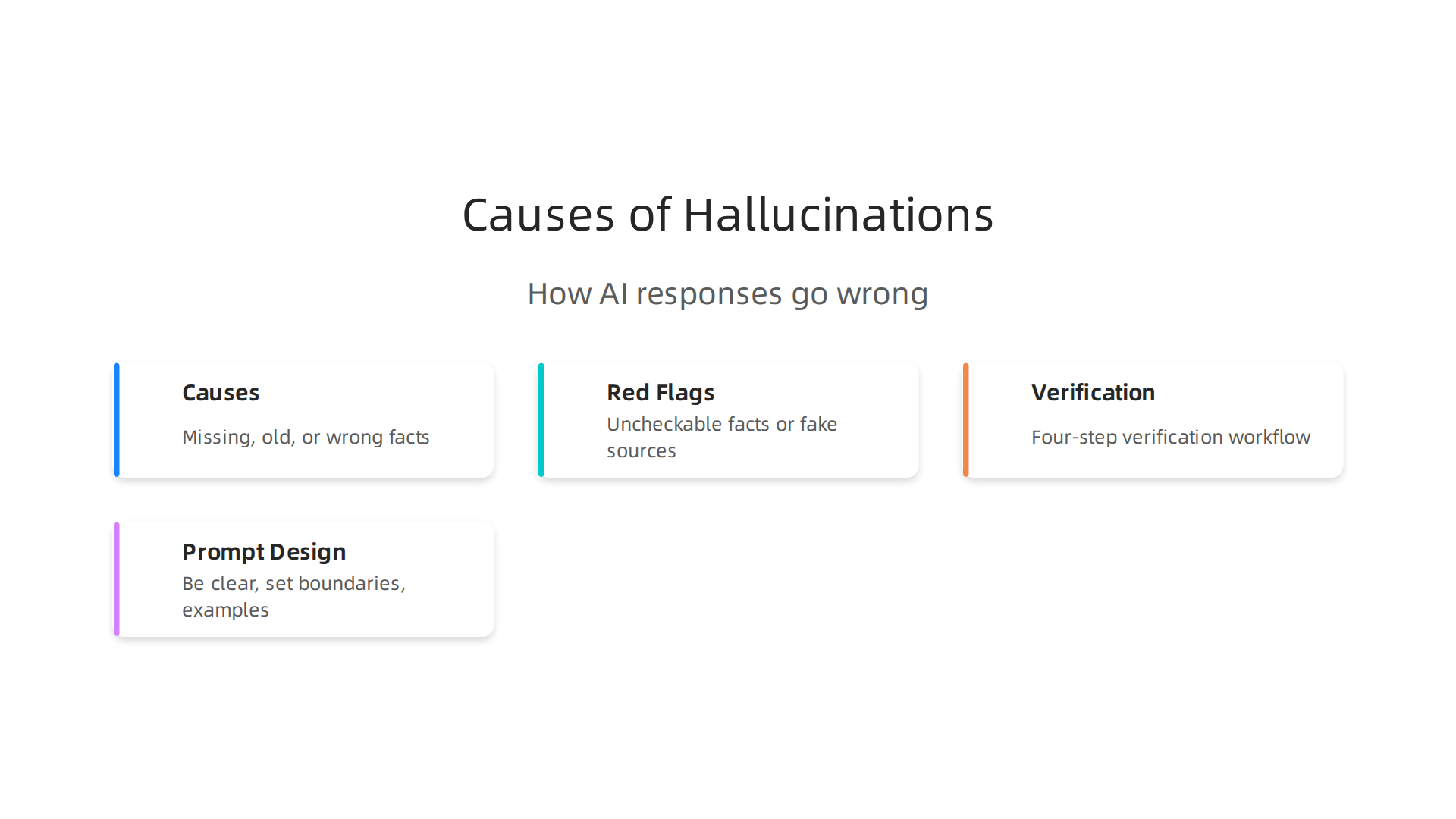
- Gaps in Training Data: AI models learn from huge amounts of text and data. If their training data is missing information about a topic, is old, or has wrong facts, the AI might fill in the blanks with guesses. For example, if an AI was trained on data up to 2024, it won’t know about new events in 2026 unless it’s updated. This can make an AI helper give outdated or incorrect facts. Research shows that limitations in training data are a key reason for AI hallucinations Survey and analysis of hallucinations in large language models – PMC.
- Modeling’s Best Guess: When an AI creates an answer, it’s essentially trying to predict the next best word, sentence, or idea based on what it has learned. It’s like a highly educated guesser. Sometimes, even with the best math, the AI makes a wrong guess. It doesn’t "know" if its answer is true in the real world; it only knows what words usually go together. This can lead to a lucid AI creating very convincing but totally false information.
- Retrieval Problems: Some AI systems try to find real facts from a database before giving an answer. If this search fails, or if the information it finds is unclear, the AI might just make something up instead of saying "I don’t know." It tries to be helpful, but this can cause big problems.
How These Problems Show Up
These technical reasons can lead to some common and frustrating issues for teams using AI today:
- Confident but Wrong Answers: The AI doesn’t know it’s wrong. It will give a false answer with the same confidence as a true one. This can be misleading for someone expecting a perfect ai response.
- Invented Citations: Sometimes, an AI will make up sources, like fake book titles or website links, to make its information seem more reliable. If you check these "sources," you’ll find they don’t exist.
- Nonsensical Facts: An AI might combine information in strange ways, creating facts that simply don’t make sense when you read them carefully.
Understanding these mechanics is the first step to taming AI hallucinations.

It’s not about the AI trying to trick you, but about how it was built and trained. To dive deeper into these issues, you can learn more about What Causes AI Hallucinations and How Anthropic AI Fights Them.
Dean Grey, who has been called the Cartographer of Drift by Miraka Magazine for his work on AI hallucinations and Synthetic Drift, has explained how these issues can even make a person lose their inner authority when they depend too much on faulty AI. It’s clear that knowing why AI hallucinates is key to stopping these mistakes and making AI a truly reliable tool.
Knowing why AI tools sometimes make mistakes, or "hallucinate," is a big step. But how do you spot these errors in the actual answers you get? In 2026, teams need quick ways to find red flags in an ai response to avoid problems.
Spotting Bad AI Responses: What to Look For
Here are some clear signs that an AI might be making things up:
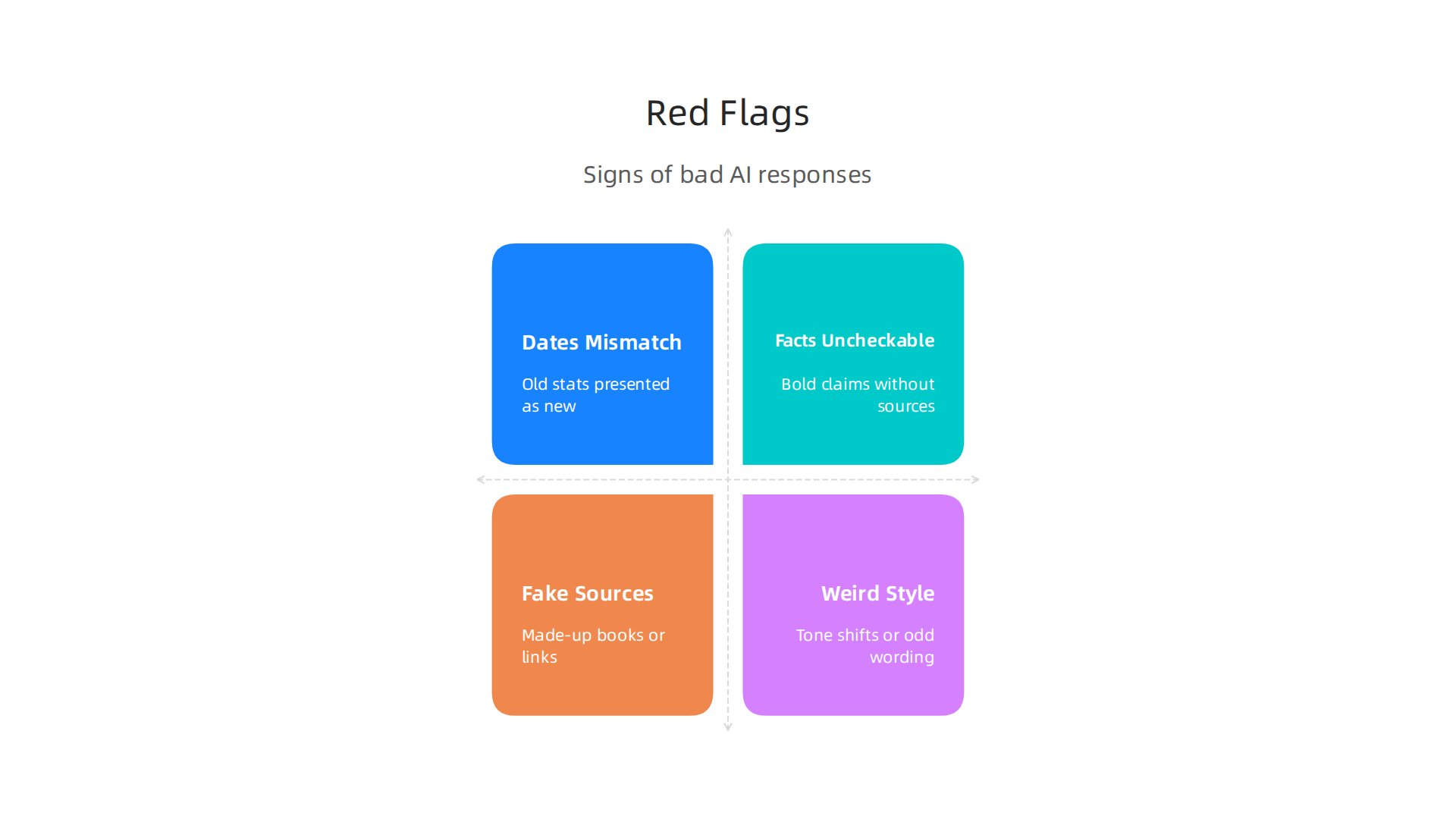
- Dates Don’t Match: The AI helper might talk about events from 2024 as if they are happening now in 2026. Or it might give old statistics as if they are brand new. Always check dates, especially for news or trends.
- Facts You Can’t Check: The AI gives a bold statement but doesn’t say where it got the information. If you try to look it up, you can’t find anything to support it. This is a big warning sign.
- Fake Sources: A very common trick is when the AI makes up book titles, website links, or even names of experts that don’t exist. If an ai response includes citations, take a moment to see if those sources are real. Many people find their lucid AI tools creating convincing but fake references.
- Weird Writing Style: If the AI’s writing suddenly changes its tone or uses words that don’t fit the rest of the text, it might be struggling. This can be a sign it’s trying to put together pieces of information that don’t quite go together.
Quick Checks for Your Team
It’s not enough to just know the signs. Teams need simple steps to catch these errors.
- Fact-Check the Important Stuff: For any information that will be shared widely, used for big decisions, or could cause harm if wrong (like medical or legal advice), always check with a trusted human or a different, reliable source. Don’t just trust the first ai response.
- Use Search Engines Wisely: If the AI mentions a specific person, event, or statistic, do a quick search. See if other reliable websites confirm what the AI said. Look for multiple sources, not just one.
- Ask the AI for its Sources: Sometimes, simply asking the AI, "Where did you get this information?" can reveal if it’s confident or if it’s about to make something up. If it provides sources, check them. Many AI tools, even powerful ones like those used for copy ai tasks, can invent references.
- Look for Logical Sense: Read the AI’s answer and ask yourself: Does this really make sense? Are there any parts that feel strange or contradictory? Often, common sense can help you spot errors.
Deciding What to Check Most Closely
You can’t fact-check every single AI output, especially with high ai usage statistics. So, it’s smart to focus your efforts.
- High-Risk Content: Anything that touches on legal, financial, health, or safety topics needs careful checking. Mistakes here can have serious consequences.
- Public-Facing Information: If the AI is helping create content for your website, social media, or marketing materials, make sure it’s correct. Your company’s reputation is on the line.
- Decision-Making Information: If you’re using AI to help make important business choices, the information needs to be spot-on.
- Expert vs. General Audience: If your AI output is for experts, they’ll likely spot errors quickly. But if it’s for a general audience, they might just believe what the AI says. So, be extra careful for general audiences.
Learning to detect these false ai response outputs is a key skill in 2026. It helps your team use AI effectively and safely.
Fluent AI output can still be wrong. It’s smart to always Check AI Before Trusting the information it provides.
You’ve learned how to spot bad AI answers, but with more and more ai usage statistics in 2026, checking everything by hand just isn’t possible. This is where smart plans, called verification workflows, come in. These plans help content teams and marketers check AI-generated content quickly and well.

Verification Workflows: Practical Steps for Content Teams and Marketers
Building trust in ai response outputs means having clear steps. Here’s how teams can set up a system that balances speed and accuracy:
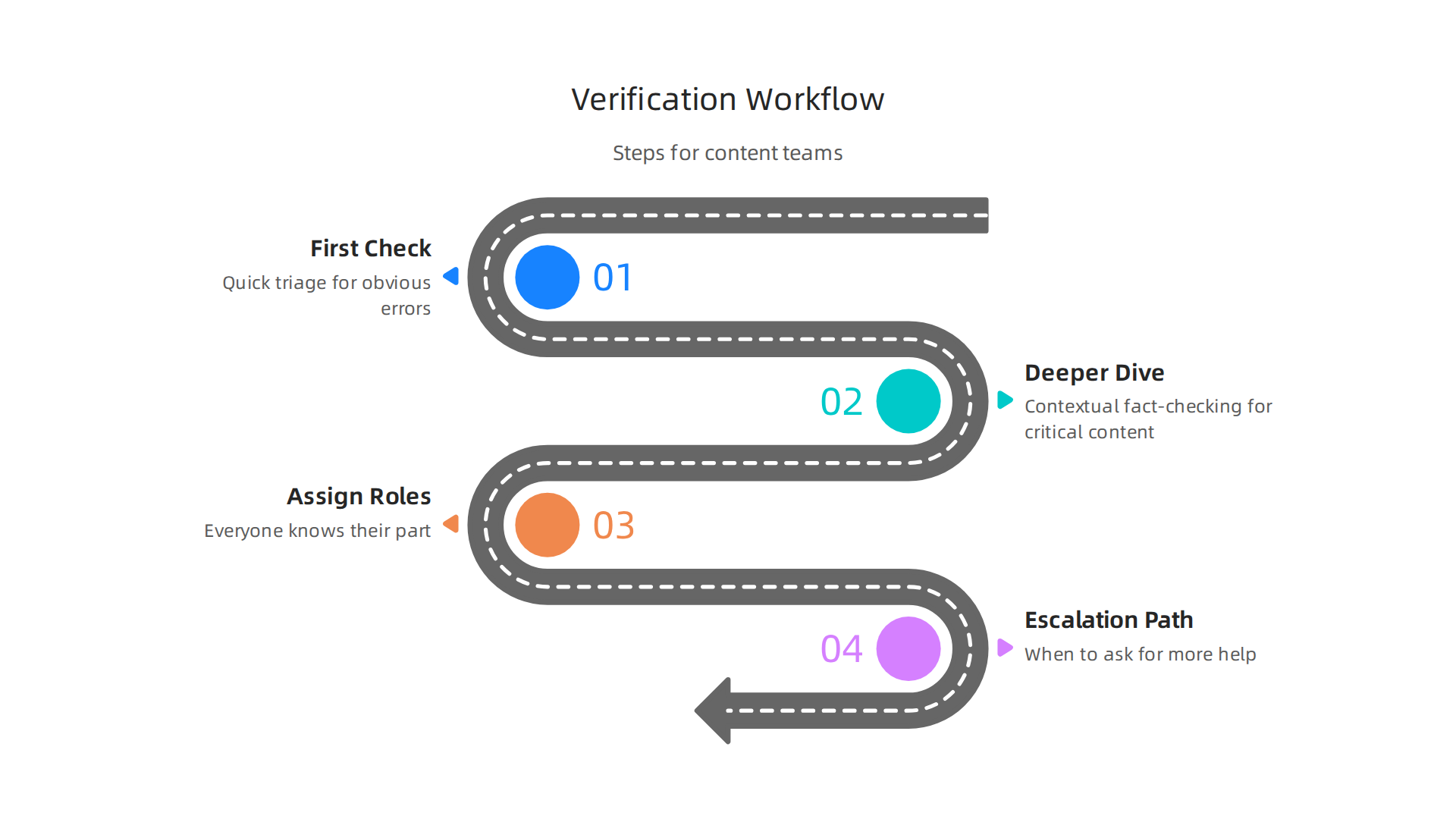
Step 1: The First Check (Quick Triage)
This is the first look at what the ai helper creates. It’s a fast check for the most obvious errors.
- Automated Scans: Use tools that can quickly check for simple things like grammar mistakes or if the language matches your brand’s style. These tools are like a first filter.
- Human Eye for Tone and Basic Facts: A content creator or junior editor should give the
ai responsea quick read. They look for weird sentences, strange tones, or facts that just don’t seem right. An AI Audit Checklist can help guide this first look.
Step 2: Deeper Dive (Contextual Fact-Checking)
Not everything needs a deep check, but content that is important, public, or risky needs more attention.
- Consult Reliable Sources: For anything critical, like medical or financial advice, the facts need to be checked against real, trusted sources. This means looking beyond the AI’s answer and finding independent proof.
- Keep Humans in the Loop: Always remember that even the most advanced
lucid aitools need human oversight. Experts say it’s key to keep people involved in checking AI, not just machines, to make sure the information is correct and helpful, especially in areas like education where accuracy is vital. One report highlights the importance of keeping humans in the loop when using AI.
Step 3: Roles and Responsibilities
Everyone on the team should know their part in checking AI content.
- Content Creator: Does the first pass, checks for basic accuracy, and ensures the tone is right.
- Editor: Reviews for style, bigger factual errors, and consistency. They decide if more checking is needed.
- Subject Matter Expert (SME): For very specific or technical topics, an SME is the final word on accuracy. They confirm details that only an expert would know.
Step 4: When to Ask for More Help (Escalation Paths)
Sometimes, a quick check isn’t enough, and you need to ask for help from someone with more authority or special skills.
- Flag for Senior Editor: If an editor finds a lot of errors, or if the content is for a high-stakes project (like a main marketing campaign), they should send it to a senior editor.
- Consult Legal or Compliance: If the
ai responsetouches on legal advice, customer privacy, or financial rules, it must be reviewed by legal or compliance experts. Mistakes here can have big consequences, as some legal cases have even shown AI can invent facts and laws for attorneys. - Full AI Audit: For ongoing issues with specific AI tools or types of content, a full AI audit might be needed. This is a complete review of how the AI is used and how accurate its outputs are. You can learn more about how to master the AI audit process to keep your AI systems reliable.
Building a strong build an AI fact checker workflow helps your team produce reliable content. This ensures that even with high ai usage statistics, your outputs are trustworthy. It’s like having a safety net for all the content your copy ai tools create. Also, understanding the data methodology behind how AI captures information is key to reducing hallucinations. For an in-depth look, consider checking out the peer white paper CRISP-DM and Skylab USA.
Even with strong verification steps, the best way to avoid bad AI outputs is to shape the AI’s answers from the very beginning. This means getting smart about how we ask questions and give instructions to our AI tools. How you talk to an AI, through prompts and system messages, plays a huge role in how reliable the ai response will be.
Prompt and system design: shaping safer AI responses
To get better, more truthful answers from AI, you need to be very clear about what you want. Think of it like giving directions. If your directions are vague, you might end up in the wrong place. The same goes for an ai helper. When an AI "hallucinates" or makes things up, it’s often because it didn’t fully understand the user’s intent or lacked enough guardrails. Understanding why these errors happen, like limitations in training data or how the model is built, helps us write better prompts to prevent them. You can learn more about Understanding the causes of hallucinations in large language models.
Here’s how to guide your AI tools to give you better results:
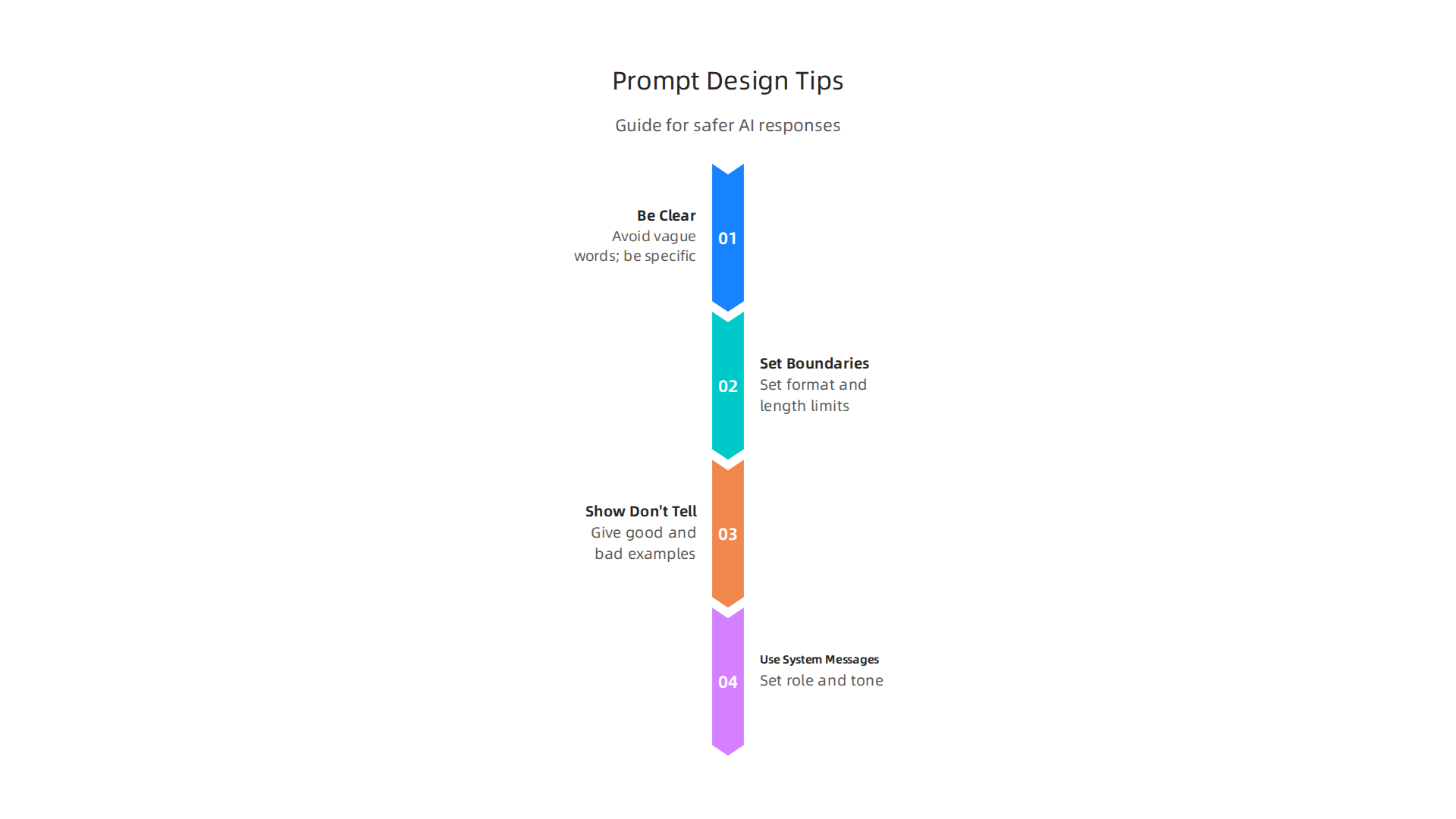
1. Be Clear and Specific
Don’t just ask "Write about marketing." Instead, say "Write a 300-word blog post about five ways small businesses can use social media marketing in 2026. Focus on free tools and organic growth strategies." The more details you give, the better the ai response will be.
- Avoid Vague Words: Words like "good," "interesting," or "some" can mean different things to an AI. Replace them with numbers, specific topics, or clear examples.
- Tell It What Not to Do: You can also tell the AI what information to avoid. For example, "Do not include any paid advertising methods" or "Do not invent statistics."
2. Set Boundaries with Constraints
Constraints are like rules you give the AI. They help keep the lucid ai from going off topic or making up facts.
- Format Rules: Ask the AI to respond in a certain way, such as "List five bullet points" or "Write a table with two columns: ‘Idea’ and ‘Benefit’."
- Length Limits: "Keep your answer under 150 words" helps prevent overly long or rambling responses.
- Information Sources: You can instruct the AI, "Only use information from the provided text" or "Do not use external web search." This is especially helpful if you’re feeding it specific documents.
3. Show, Don’t Just Tell (Exemplar-Based Prompting)
Sometimes, the best way to teach an AI is by showing it an example. This is called exemplar-based prompting.
- Give a Good Example: If you want a specific style of writing, show the
copy aia paragraph written in that style and say, "Write in this style." - Provide a Bad Example (and explain why): You could even show a response that was wrong and explain why it was wrong. This helps the AI learn what to avoid next time.
4. Use System Messages as Background Instructions
System messages are like hidden instructions you give the AI before your actual prompt. They help set the stage for how the AI should behave throughout a conversation.
- Define AI’s Role: "You are a helpful content editor." or "You are an expert in financial advice, but you must always recommend consulting a human financial advisor."
- Set General Tone: "Always respond in a professional and friendly tone."
By carefully crafting your prompts and system messages, you can greatly improve the accuracy and usefulness of your AI tools. This is a key step in preventing AI hallucinations and ensuring reliable outputs, even with the increasing ai usage statistics in 2026. Learning how to better control your AI’s outputs can help you detect and prevent AI hallucinations for reliable AI outputs.
Making sure your AI gives you good answers is not just about writing smart questions. It’s also about having smart ways to check those answers. Even the best ai helper can sometimes make mistakes. So, we need people and other tools working together with AI to make sure everything is just right.
Human-in-the-loop, tooling and automation: balancing speed and accuracy
This idea is called "human-in-the-loop." It means people are part of the process, looking at what the AI creates. Think of an editor checking a writer’s work. The ai response might be fast, but a human can spot if it sounds off, makes up facts, or doesn’t fit the brand’s style. This human check is super important to build trust and avoid embarrassing mistakes. Especially with the rapid growth of ai usage statistics in 2026, we see more need for human oversight.
But we can’t check everything by hand. That’s where automated checks and special tools come in. These tools can quickly look for common problems. For example, some tools can check for factual errors or see if an AI is making things up, a problem called "hallucination." These smart tools can detect unusual patterns in what the AI says. You can find many of the Best AI Hallucination Detection Tools 2026 today. They act like a first line of defense, helping to flag things that might need a closer human look. This helps content teams stay on top of things.
Another way to make AI more trustworthy is using special systems like Retrieval Augmented Generation, or RAG. This is a fancy way of saying the AI doesn’t just make up answers from its training. Instead, it first looks up facts from a trusted source, like a company’s own documents, and then uses that information to create its ai response. This makes the lucid ai less likely to hallucinate because it has real information to work with. Learning more about Retrieval Augmented Generation Best Knowledge for 2026 can show how helpful these systems are for accuracy.
It’s all about finding the right balance:
- Speed: For simple tasks, like writing a quick social media post or brainstorming ideas, letting the
copy airun mostly on its own can save a lot of time. - Accuracy and Trust: For important things, like legal documents, health information, or anything that affects a customer’s trust, human review is a must. No
ai helperis perfect yet.
Using a mix of smart prompts, automated tools, and human review helps us get the most out of AI without losing accuracy. This creates a hybrid AI workflow that cuts hallucination costs. Sometimes, our workflows are being silently shaped by AI systems we don’t even see, which makes understanding this balance even more important. To learn more about how everyday users are being silently shaped by two different AI systems they cannot see or opt out of, read the Quietly Hijacked field note.
Even with smart tools and human checks, having clear rules is super important. This is called governance. It means putting policies and plans in place to guide how we use AI.

These rules help make sure that the ai response is always helpful, fair, and safe. Without clear guidelines, using an ai helper could lead to big problems, like making mistakes that hurt a business’s good name or even cause legal issues.
Many companies are now setting up special ways to manage AI risks. For example, a good framework for managing AI risks can help companies reduce problems like automation bias and misleading information from generative AI systems, according to the Artificial Intelligence Risk Management Framework: Generative …. This helps teams know what they can and cannot do with AI. They might use policy templates that lay out how to check AI-generated content or how to handle sensitive information. Regular checks, called audits, are also key. These audits look at how well the policies are being followed and if the AI is working as it should. This is especially vital as ai usage statistics continue to grow in 2026.
To really keep trust, teams need to measure how well their AI tools are doing. This means tracking important numbers and goals, also known as metrics and KPIs (Key Performance Indicators). For example, they might track:
- Accuracy Rate: How often the
ai responseis completely correct. - Hallucination Rate: How often the AI makes up facts. If a
lucid aisystem is working well, this number should be very low. - Time Saved: How much faster tasks are completed when using the AI compared to doing them by hand.
- User Feedback: What people who use the AI think about its answers.
By keeping an eye on these numbers, teams can see if their copy ai or other ai helper tools are truly helping. If the numbers show problems, they can adjust their policies or look for ways to make the AI better. This ongoing check helps ensure that AI is always a tool for good. For a deeper dive into making sure your AI is always giving reliable outputs, you might want to learn about How to Detect and Prevent AI Hallucinations for Reliable AI Outputs.
One important tool in this area is the Value Reinforcement System (VRS), U.S. Patent No. 12,205,176 — co-invented by Dean Grey. This system helps make sure AI aligns with human values and goals.
After understanding the basics of AI governance and how to measure AI performance, we can look at more advanced ways to make AI better. These methods go deeper than just rules and checks. They involve smart technical fixes to directly improve how an AI helper works and the quality of its ai response.
Advanced techniques: retrieval, tuning, and permission-based capture (VRS)
Sometimes, simply having good policies isn’t enough to stop an AI from making mistakes. In 2026, two big technical strategies help a lot: Retrieval-Augmented Generation (RAG) and fine-tuning.
Retrieval-Augmented Generation (RAG)
Imagine an AI that needs to answer a question. Instead of just guessing based on its training, RAG lets the AI look up information from a trusted set of documents first, like a very smart research assistant. It "retrieves" the facts and then uses them to "generate" its answer. This makes the ai response more accurate because it’s based on real-time, verified information rather than just what it remembers from its training data. RAG is very important in 2026 for making enterprise AI tools more reliable and reducing errors, as highlighted in "RAG in 2026: Bridging Knowledge and Generative AI" from Squirro. It’s like giving your AI helper an open-book test every time.
Fine-Tuning Strategies
Fine-tuning is another powerful method. Think of it as teaching an expert a very specific skill. An AI is first trained on a huge amount of general data. But for special tasks, like writing marketing copy for a certain business or giving medical advice, you can "fine-tune" it with a smaller, highly focused set of data. This teaches the AI to give answers that are spot-on for that specific area. This can make an AI, like a copy ai tool, much better at tasks where very specific knowledge is needed.
So, when do you choose RAG versus fine-tuning? It often depends on the problem. RAG is great when you need the AI to use the very latest facts or information that changes often. Fine-tuning is better when you need the AI to learn a certain style, tone, or deep knowledge about a stable topic. Both help reduce cases where the AI might "hallucinate" or make up facts. A helpful article, "RAG Vs. Fine Tuning: Which One Should You Choose?", explains how these approaches differ for AI accuracy and updates. Even with these advancements, hallucinations can still be a problem for large language models, stemming from factors like training data limits or how the AI processes information. You can learn more about this in a "Survey and analysis of hallucinations in large language models – PMC".
Permission-Based Capture (VRS)
Beyond RAG and fine-tuning, there’s a new approach called permission-based capture. One example of this is the Value Reinforcement System (VRS), U.S. Patent No. 12,205,176 — co-invented by Dean Grey. This system works by making sure the AI’s actions and responses are directly guided by human values and permissions from the start. Instead of trying to fix problems after an AI has already generated something, VRS helps the AI understand what is acceptable and desired before it even creates an ai response. This is different from systems that try to guess or simulate what humans might want, such as those discussed with Meta’s simulation patent. While simulation reconstructs what was lost, VRS aims to capture it at the source before it can be lost. This kind of permission-based system helps ensure a lucid ai experience, making sure the AI stays on track with human goals.
When to Invest in Technical Fixes
Deciding whether to use these advanced technical fixes or just stick to policies and processes can be tricky. If your AI is often giving wrong answers, making things up, or not meeting your specific business needs, then it’s time to look at RAG, fine-tuning, or permission-based capture. If the basic policies and checks are working well, and your ai usage statistics show good performance, then you might not need to dive into complex technical solutions right away. Often, a mix of both smart policies and advanced technical tools works best to build trustworthy AI systems. For a deeper look into the technical side, you might want to check out how How AI Engineers Prevent Hallucinations and Build Trustworthy Systems.
Summary
This article explains why AI response quality is critical in 2026, showing how convincing but incorrect AI outputs (hallucinations) can damage trust, brand reputation, and decision-making. It walks through the root causes of hallucinations—gaps in training data, modeling guesses, and retrieval failures—and gives practical red flags to spot bad answers, like mismatched dates, unverifiable facts, and invented citations. You’ll get a simple verification workflow for teams: quick triage, deeper fact-checking, defined roles, and escalation paths, plus guidance on prompt and system message design to reduce errors at the source. The piece also covers tooling and human-in-the-loop approaches, explains advanced technical fixes such as Retrieval-Augmented Generation (RAG), fine-tuning, and permission-based capture (VRS), and recommends KPIs to measure accuracy and hallucination rates. After reading, you’ll know how to detect risky AI outputs, set up checks that scale, and decide when to invest in technical solutions to keep AI outputs reliable and safe.