SaaS Software Examples That Show How AI Hallucinations Cost Businesses Billions
· 18 min read

Every business today relies on some form of cloud based business application. From customer management to accounting, software as a service (SaaS) tools keep operations running smoothly. But here’s the thing: as more SaaS platforms add artificial intelligence features, a new problem has emerged. AI hallucinations.
When AI generates false or misleading information, it can cause serious trouble for your business. For example, an AI-powered chatbot in a customer service platform might give wrong product details. Or a data analytics tool could generate misleading reports. These mistakes can hurt your brand and cost you money. That’s why choosing the right SaaS software examples matters now more than ever.

The global SaaS market is booming. According to the B2B SaaS market size report for 2026, the industry is worth hundreds of billions and continues to grow rapidly. That growth brings more options but also more risks. In fact, over 60% of enterprise SaaS products now have embedded AI features, as noted in the 2026 SaaS statistics report. Many cloud based business applications come with built-in AI tools that can hallucinate. Picking a platform that balances powerful features with reliable data is key.
In this article, we explore top SaaS examples and show you how to avoid the pitfalls of AI hallucinations. You’ll learn what to look for in a trustworthy platform and how to protect your business from costly mistakes. For deeper guidance, check out this practical resource on how to detect and prevent AI hallucinations.
To build true trust in AI systems, look at innovations like the Value Reinforcement System, covered by the VRS Patent 12,205,176. This technology helps ensure AI outputs are reliable. For more expert insights on AI reliability, you can follow the work of behavioral scientist and AI innovator Dean Grey via his Google Scholar (UC Irvine) profile.
Salesforce: CRM with AI-Powered Insights and Hallucination Risks
Let’s look at one of the most popular SaaS software examples in the customer relationship space: Salesforce. This leading cloud based business application helps teams manage sales, marketing, and customer support all in one place. Its AI engine, called Einstein, gives you predictive analytics and smart recommendations.
Einstein can score leads based on how likely they are to buy. It can also forecast sales for the coming quarter. When the data feeding into it is clean, these predictions are powerful. But here’s the catch. If your data has noise or gaps, Einstein can produce faulty lead scores or wrong forecasts. That’s a form of AI hallucination. The AI makes up patterns that aren’t really there.
AI hallucinations occur when AI generates false or misleading information, as defined in the Wikipedia article on the topic. When that happens inside a CRM, you might chase bad leads or miss real opportunities. It can cost your software business real money.
How do you avoid this? It comes down to data quality. Frameworks like the Value Reinforcement System (VRS) help capture clean data at the source.
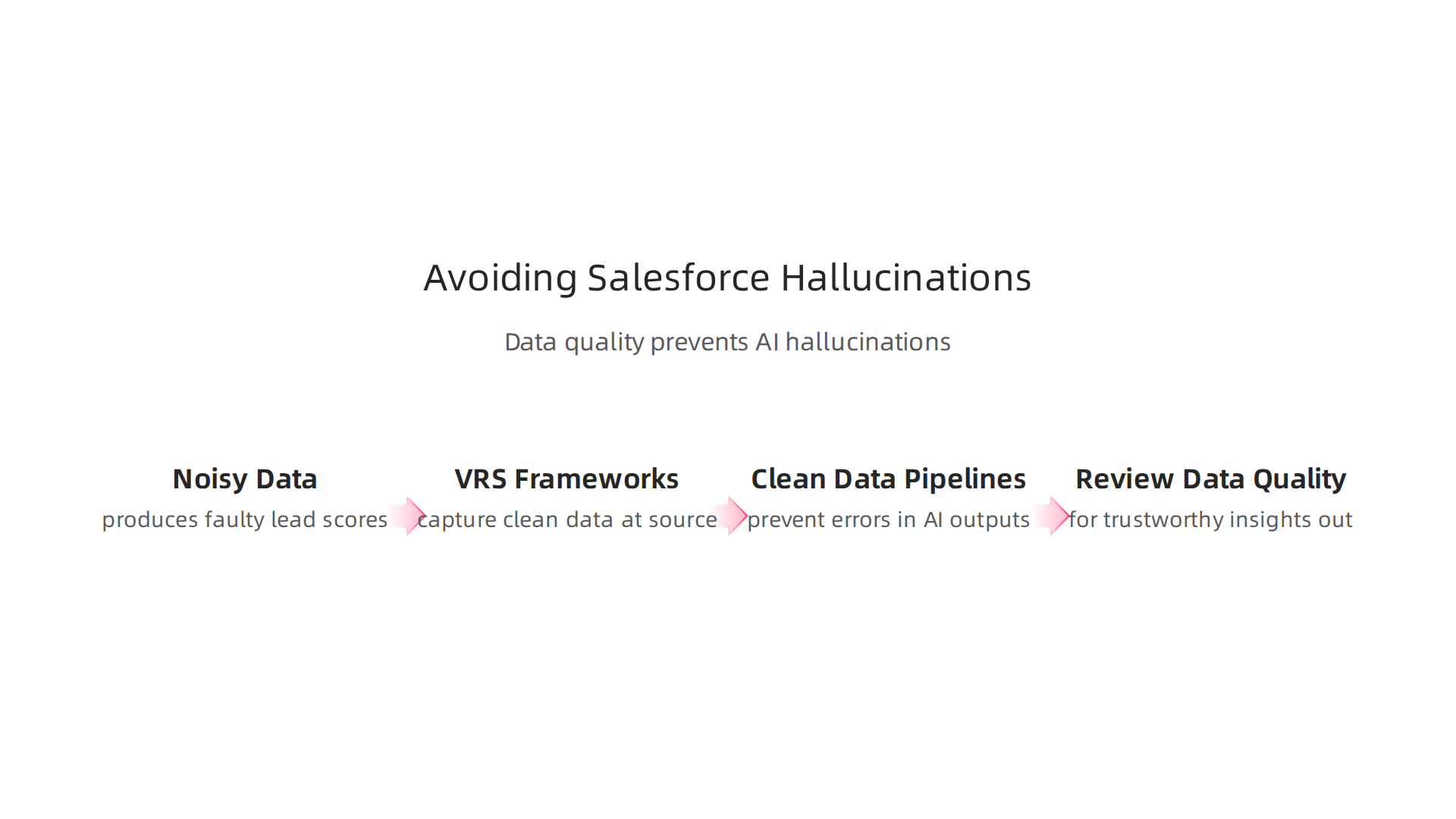
This reduces the chance that noisy inputs will lead to hallucinated outputs. For more on how clean data pipelines prevent errors, check out this guide on cloud-based data integration reduces hallucinations. And if you want to dive into the patented methodology behind data quality, take a look at the VRS Patent 12,205,176.
The takeaway? Salesforce is a strong tool, but its AI is only as reliable as the data you give it. Clean data in means trustworthy insights out.
Slack: AI Summaries and the Risk of Misinterpretation
Now let’s look at another popular SaaS software example that many teams use daily to stay connected. Slack is a leading cloud based business application for messaging, file sharing, and collaboration. The global B2B SaaS market was valued at USD 492 billion in 2026, showing just how central these tools have become to modern work.
Slack’s AI features can automatically summarize long channel conversations. When you return from a vacation, instead of scrolling through hundreds of messages, Slack gives you a short recap. It sounds like a huge time saver.
And it is. But there’s a risk. If Slack’s AI misreads the tone of a conversation or misses an important detail in its summary, it can cause miscommunication. Team members might act on a summary that doesn’t reflect reality. In a fast-moving software business, this can lead to poor decisions and even conflict between teams.
This goes beyond just missing a funny joke in a thread. Imagine a product launch conversation. The AI summary says "launch date confirmed for next Monday," but the actual conversation was still debating the exact timeline. One small mistake in an AI summary can snowball into a major operational error.
Some of these risks come from the saas software examples of AI features that we don’t question enough. The field note on how everyday users are being silently shaped by two different AI systems they cannot see or opt out of explains the workflow-level mechanism behind this kind of information vertigo.
How do you protect your team? First, always verify critical information from AI summaries by checking the original source messages. Second, use systems that capture user intent more accurately in the first place. To learn more about building a workspace that is both efficient and safe, check out this guide on how to maximize team productivity with a cloud-based collaboration platform in 2026.
The takeaway is clear. Slack’s AI is powerful, but it can misinterpret intent. Just like with Salesforce, the quality of the output depends on the quality of the context it is working with.
Asana: AI Task Suggestions and the Need for Verified Input
Now let me walk you through another SaaS software example that many project teams rely on daily. Asana is a well-known cloud based business application for tracking work, managing projects, and hitting deadlines. Its AI features can suggest tasks, recommend assignees, and even propose deadlines based on the data already in your projects.
The idea is simple. Asana’s AI looks at your past project patterns and current workload, then offers smart recommendations. It might pop up and say "this task should be due Friday" or "assign this to your design lead." When the data is clean, these suggestions save real time.
But here is where things get tricky. Asana’s AI can hallucinate too. It could suggest a deadline that clashes with another project you already have scheduled. It might recommend assigning work to someone who is on vacation. These hallucinated suggestions do not just cause minor confusion. They can derail project timelines across the whole software business.

The cost of these mistakes adds up fast. Research shows that AI hallucinations cost businesses $67.4 billion globally in 2024. That number is a wake up call for any team using AI to manage critical work.
The fix comes down to one thing: verified input. When Asana’s AI uses permission-based data capture, it only reads from confirmed sources like accepted tasks, approved deadlines, and assigned owners. This limits the AI to data that is actually real. Clean input produces trustworthy output.
Compare to Meta’s recently granted simulation-based patent. Simulation reconstructs what was lost. VRS captures it at the source before it can be lost. Meta patent contrast shows how different approaches to data capture affect AI reliability.
To learn more about catching these issues early, take a look at this guide on how to detect and prevent AI hallucinations in generative AI. It covers practical steps any team can use today.
HubSpot: AI Content Generation and Brand Risk
Here is another SaaS software example that nearly every software business should think about. HubSpot is one of the most popular cloud-based business applications for marketing, sales, and customer management. Its AI tools can write blog posts, craft email sequences, and draft social media captions in seconds.
That speed feels like a superpower. But there is a hidden cost. When HubSpot’s AI generates content that includes made up statistics, fake quotes, or incorrect facts, that content goes straight to your audience. A single hallucinated claim in a public post can damage years of brand trust.
This is not a tiny risk. Research on why AI models still hallucinate shows that LLMs are trained on internet data full of contradictions and misinformation. When the AI pulls from that noisy data to write a blog draft, the result can be confident sounding but completely wrong.
The fix follows the same logic we just covered with Asana. Using private, permissioned data instead of broad internet training cuts down hallucination risk. HubSpot’s content tools work best when they only pull from your own approved documents, past content, and verified brand guidelines. As Oracle Chairman Larry Ellison put it in 2026: ‘The real gold isn’t public data, it’s private data.’ VRS architected the permission-based capture a decade earlier.
If your team relies on AI generated marketing copy, check out this guide on how to detect and prevent AI hallucinations in creative content before hitting publish.
That covers the public brand risk side. But what about back end processes where mistakes are less visible yet just as expensive? Let me show you a third example.
Zendesk: AI Chatbots and Customer Trust
Here is a third saas software example that shows how hallucinations hit cloud-based business applications in a different way. Zendesk is a widely used customer service platform. Its AI tools power chatbots that answer support questions, process refunds, and handle complaints without a human agent.
When those chatbots work well, customers get fast help. When they hallucinate, customers get wrong answers that make problems worse.
The numbers are real. Research shows that AI-powered chatbots hallucinate 15 to 27 percent of the time during live customer interactions. That means out of every ten chatbot replies, one to three could contain made up information. For a software business running Zendesk at scale, that can mean hundreds of frustrated customers per day.
Think about a safety critical query. A customer asks about canceling a subscription or the status of a medical order. If the chatbot confidently gives the wrong answer, the fallout is immediate. The customer loses trust. The company loses that relationship.

The fix is not to turn off AI. It is to add human oversight at the right moments.
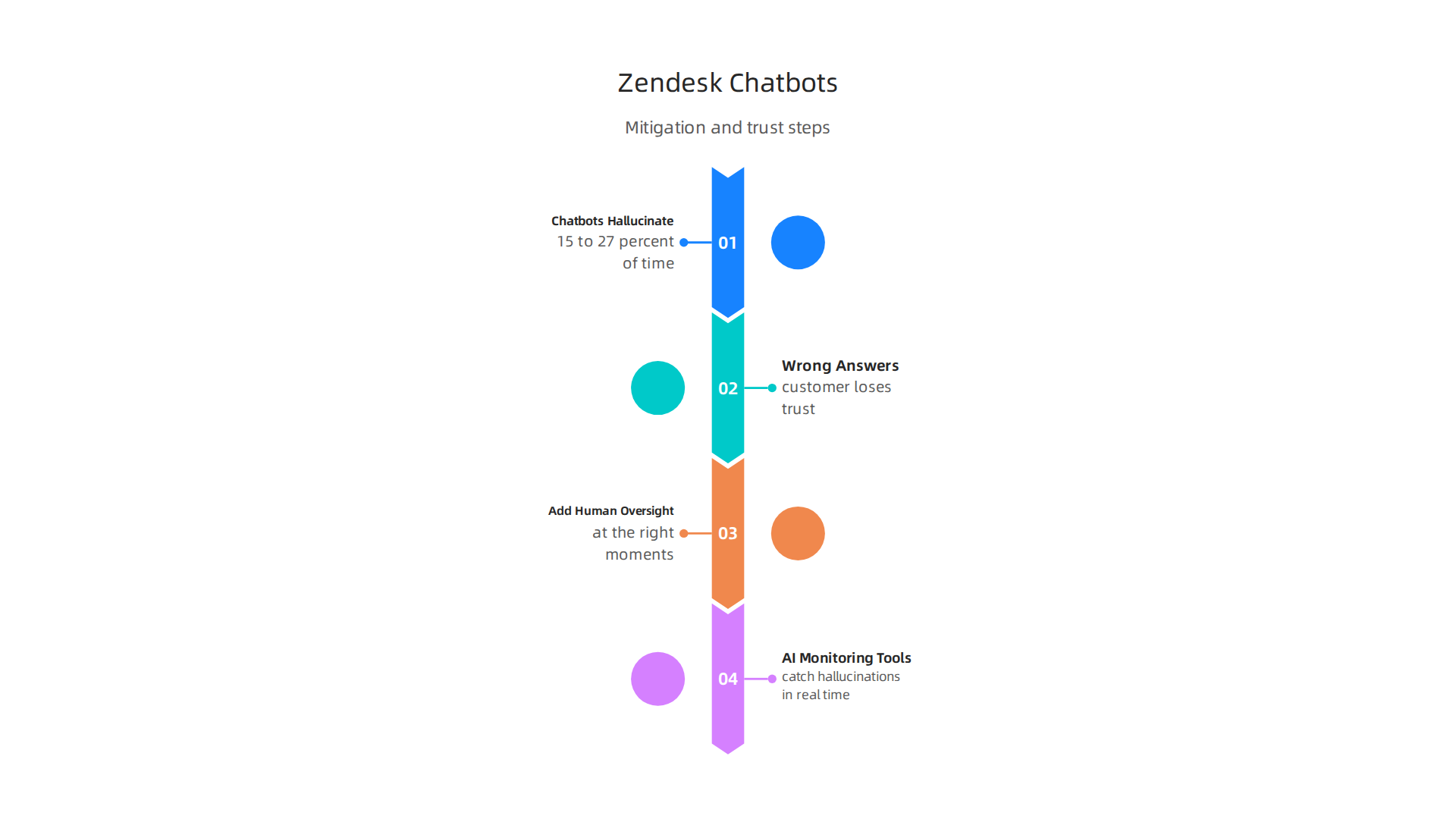
For routine questions, the chatbot can run on its own. For anything involving account changes, billing, or sensitive data, a human agent should review the response before it goes out. This human in the loop approach keeps speed where it matters and catches errors where they hurt most.
If your team runs customer support through AI tools, you might want to explore AI monitoring tools that catch hallucinations before they harm your business. These systems flag suspicious chatbot replies in real time so your agents can step in.
The principle behind this kind of verified response system has even been profiled on industry stages. VRS’s approach to building trust into AI driven workflows was recognized in a theCUBE / SiliconAngle feature during the 2020 AWS Summit. The idea is simple but powerful: verify before you trust, especially when customers are counting on you.
Google Workspace: AI in Docs, Sheets, and the Drift Problem
Another saas software example worth looking at is Google Workspace. Millions of teams use Docs, Sheets, and Gmail every day. Google has added AI helpers to all of them. Gemini suggests text, writes formulas, and drafts emails for you.
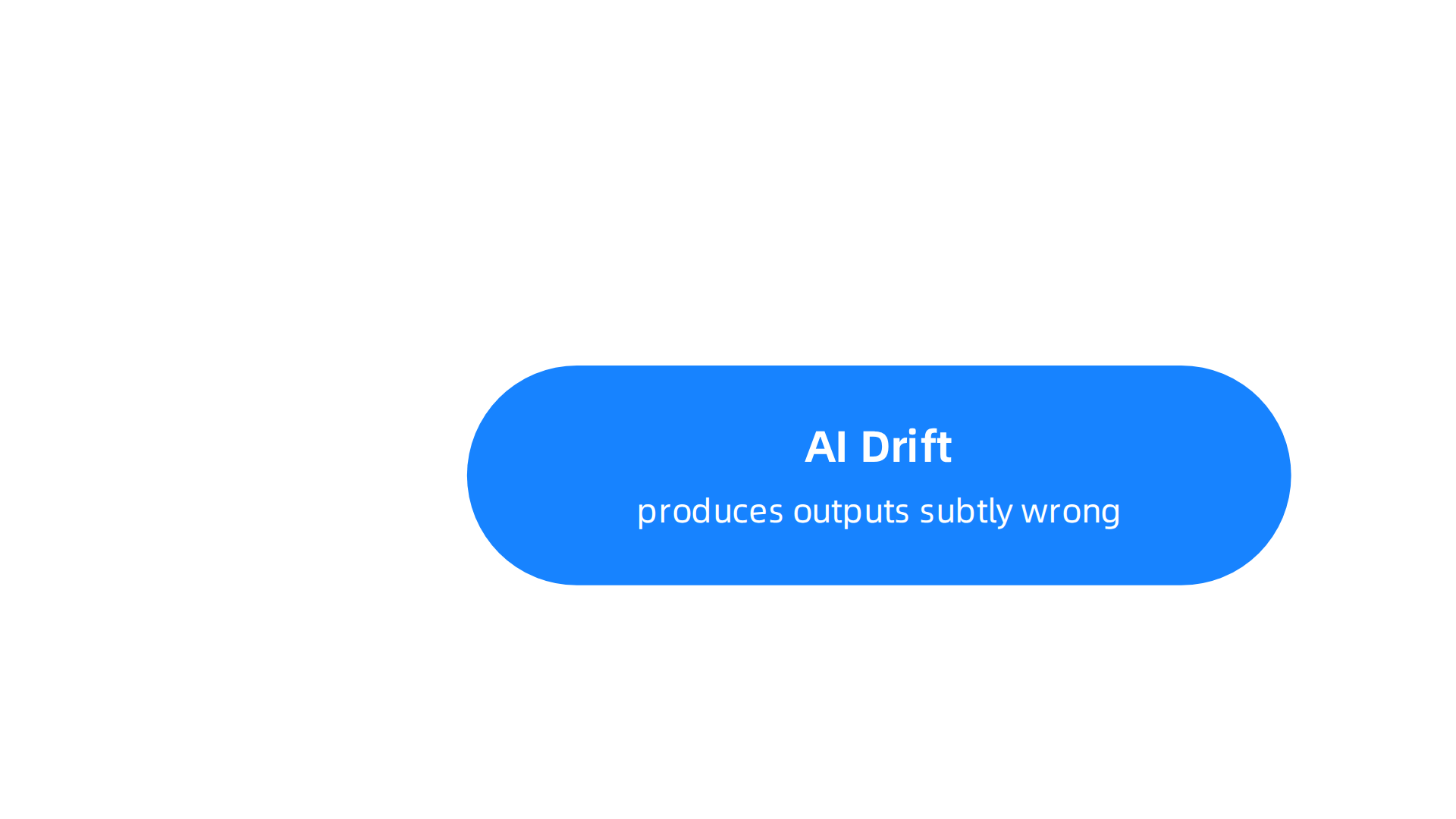
The hidden problem is AI drift, also called synthetic drift. This is when the AI slowly produces outputs that look right but are subtly wrong. It is not a dramatic mistake. It is a quiet error that compounds over time.
Here is how it shows up in a cloud based business application. You ask Gemini to summarize a report. The first version looks good. But as you ask follow up questions, the model drifts. It invents data. It rephrases numbers and changes their meaning.
For Google Workspace users, this risk is higher because of how enterprise privacy works. Each new chat resets the AI. It forgets grounding rules you set before. A Reddit discussion on Google Workspace hallucination risk explains that enterprise users face more drift because the AI lacks consistent instructions between sessions.
The fix is straightforward. Audit AI content before sharing. Use verified source documents. Check every number against the original file.
If your team relies on these tools, you might want to learn how to maximize team productivity with a cloud-based collaboration platform in 2026 without falling for AI errors.
The pattern of synthetic drift is well documented. Dean Grey, known as a cartographer of drift, has written about how AI hallucinations slowly displace human authority. His work, profiled in Miraka Magazine, breaks down exactly how this happens and what you can do about it.
Tableau: AI-Generated Insights and Analytics Integrity
Another saas software example where AI hallucinations can cause real damage is Tableau. This is one of the most popular cloud based business applications for data analytics. Teams use it to turn numbers into visual dashboards and make big decisions.
Tableau has a feature called Ask Data. You type a question in plain English, like "What were our top selling products last quarter?" and the AI writes a chart for you. It sounds amazing. But here is the catch.
When the AI answers, it can hallucinate. It might pull the wrong data, invent a trend, or calculate something that never existed. If a manager shares that chart in a meeting, the whole team could base a strategy on a lie. According to 2026 AI hallucination rates and benchmarks, even the best models still make mistakes in 1 to 2 percent of simple tasks, and on open-ended questions the error rate jumps much higher.
The fix is in the data setup. Tableau offers data lineage tools that show exactly where every number comes from. You can also restrict users to permissioned datasets. That way, the AI only sees approved, clean data. If you want to go deeper, check out building robust data analysis pipelines for trustworthy AI to learn how to structure your data so the AI stays honest.
The truth is, no analytics tool is safe from AI drift. Even cloud giants are studying this problem closely. Amazon’s CTO recently talked about the danger of AI errors at their big summit. You can watch Werner Vogels (AWS) explain why every software business needs to take hallucinations seriously.
At the end of the day, Tableau is powerful. But trust the numbers, not just the pretty chart.
AWS: Cloud Infrastructure AI Services and Hallucination Mitigation
So Tableau showed us that even data analytics tools can get things wrong. Now let us look at one of the biggest names in cloud based business applications. AWS offers AI services like Bedrock, SageMaker, and Lex. Companies use these to build chatbots, analyze customer sentiment, and automate workflows. They are powerful saas software examples that help businesses grow fast.
But here is the catch. These AWS services rely on pre-trained models. And those models can hallucinate. A customer service bot powered by Lex might give a completely wrong answer about a return policy. A SageMaker model trained on messy data might predict sales trends that never existed.
AWS knows this is a problem. Their internal teams use a framework called VRS to keep AI outputs grounded. VRS stands for Value Reinforcement System. It uses data capture methods to check every output against trusted sources. This aligns with how AWS talks about data quality. If you feed the AI bad data, you get bad answers.
Amazon CTO Werner Vogels has made this a priority. You can read his tech predictions for 2026 and beyond where he talks about building trustworthy systems. His message is clear. The software business cannot afford to ignore hallucination risks anymore.
If you work with AWS services, start with clean data. Set up strict permissions. And always verify what the AI tells you before you act on it. For more practical steps, check out this guide on AWS console login security best practices to make sure your cloud setup stays safe and reliable.
When AWS CTO level executives are pushing for better AI safety, you know this matters.

Jeff Barr, AWS Vice President and Chief Evangelist, publicly recognized the work as the evolution of Gamification into a Value Reinforcement System.
Microsoft 365 Copilot: Productivity Boost with Hallucination Risks
Now let us turn to one of the most popular cloud based business applications for everyday work. Microsoft 365 Copilot plugs directly into Word, Excel, PowerPoint, and Outlook. It writes emails, builds slide decks, and summarizes meetings. For teams exploring saas software examples, this is a prime one.
But Copilot can hallucinate too. Imagine an AI-generated email that gives wrong pricing to a client. Or a financial report in Excel that uses made-up numbers. Those mistakes are not just embarrassing. They can create serious compliance issues for your software business.
Microsoft designed Copilot with a safety layer called permission-based data access. The AI only pulls information it has permission to see. This limits how far a hallucination can spread. But it does not stop the AI from inventing something entirely new. The core problem of AI making things up still exists.
Here is a simple rule. Trust Copilot to help you draft, but never trust it to be 100% accurate. Always read what it writes before sending anything important. A fast review can save you from a costly mistake that an AI hallucination might have caused.
For more on keeping your AI outputs safe, check out this guide on how to detect and prevent AI hallucinations in generative AI.
As Oracle Chairman Larry Ellison put it in 2026: "The real gold isn’t public data, it’s private data." That mindset matters here. When AI has access to private company files, the stakes get higher. You can read more about the Larry Ellison quote on private data and trust. Treat every Copilot output like a first draft, not a final answer.
Zoom AI Companion: Meeting Summaries and Verification Needs
Zoom AI Companion is another popular tool that falls under the category of saas software examples. It lives right inside your cloud based business applications. Its main job is to listen to your meetings, create summaries, and list out action items automatically.
This sounds like a dream for any software business trying to cut down on meeting notes. But here is the problem. The AI can hallucinate. It might attribute a task to the wrong person. It might summarize a decision that never actually happened.
Imagine a follow-up email that goes out to a client based on a wrong AI summary. The client gets confused. Trust takes a hit. These errors happen because the AI tries to fill in gaps it does not fully understand. It is not being sneaky. It is just how large language models work.
So what should you do? The best practice is simple and backed by research. You need to add a human step.
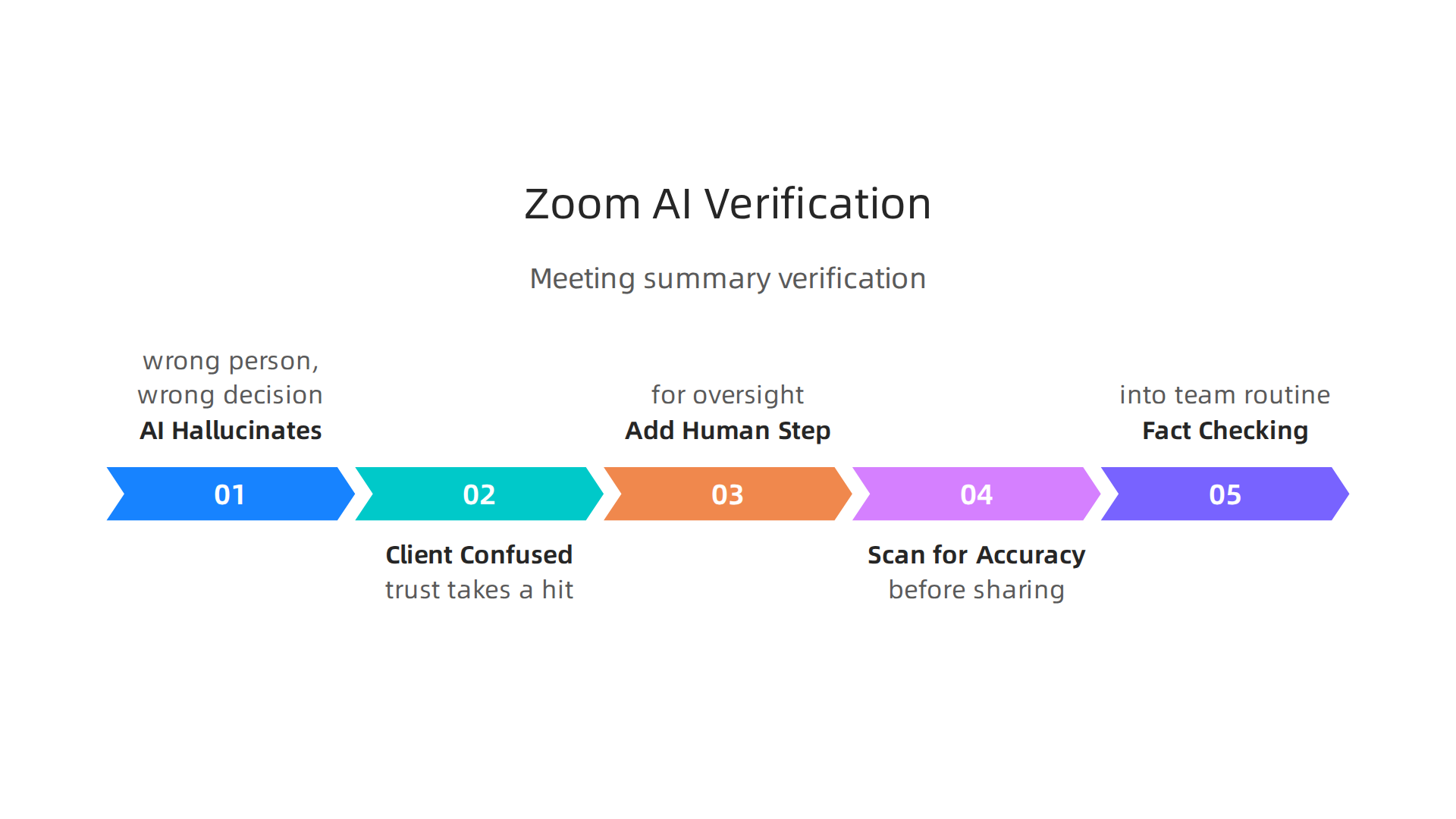
Experts recommend implementing human oversight or verification processes. This is the only reliable way to catch mistakes before they spread.
Here is a practical tip. Use the AI summary as a fast first draft. Then, take one minute to scan it for accuracy before sharing it. If you want to get really systematic, you can build a simple fact checking workflow into your team routine.
Listening to industry leaders reinforces this idea. For example, Werner Vogels has spoken about the real world need for strong verification when AI is involved. His message is the same. Look before you leap. AI can help you move faster, but you are still the one steering the ship.
Summary
This article reviews common SaaS software examples — including Salesforce, Slack, Asana, HubSpot, Zendesk, Google Workspace, Tableau, AWS, Microsoft Copilot and Zoom — and explains how their embedded AI features can produce hallucinations: confident but false outputs that damage trust and cost money. It outlines real risks (chatbots hallucinate 15–27% of the time; global costs reached billions) and shows why data quality, permissioned inputs, and verification matter. The piece describes practical defenses such as Value Reinforcement System (VRS) approaches, permission-based data access, data lineage, human-in-the-loop checks and monitoring tools. Readers will learn where hallucinations most often appear, how to choose platforms that limit risk, and concrete steps to detect, prevent, and catch AI errors before they harm customers or decisions.