
CISA Microsoft Windows Security Advice for 2026
· 21 min read

Introduction: Why Official Security Guidance Matters Now More Than Ever
Cyber threats today are not just growing, they are getting smarter. Ransomware attacks hit businesses every day. Phishing scams trick even careful users. And new dangers like AI-powered malware keep security teams up at night. If you manage Windows systems, you already know the pressure is real. One missed update or wrong setting can open the door to a costly breach.
This is where trusted sources matter most. You need advice you can actually rely on. Two names stand above the rest: the Cybersecurity and Infrastructure Security Agency (CISA) and Microsoft. Both organizations release regular, actionable security guidance designed to protect Windows environments. Their recommendations are based on real threat data, not guesswork.
CISA is the federal agency that leads the nation’s cyber defense efforts.
Its recent roadmap includes goals like addressing immediate threats, hardening the terrain, and driving security at scale. As part of its 2024-2026 Cybersecurity Roadmap, CISA focuses on minimizing vulnerabilities and pushing for secure-by-design technology. Microsoft, on the other hand, lives and breathes Windows every day. Their security tools and patches update constantly to counter the latest cyber security solutions from attackers.
Why does this matter for you? Because the CISA Microsoft Windows security advice is not optional anymore. It is the baseline for any serious security strategy. Following their guidance helps you close gaps that hackers love to exploit. Whether you run a small business or manage an enterprise fleet, these frameworks are built to work together.
Think about the most common cybersecurity threats today. Weak passwords, unpatched software, compromised accounts. Both CISA and Microsoft have published clear steps to fix these issues. They cover everything from enabling Microsoft security key features to deploying zero-trust architecture. The best part? Their advice is free, tested, and updated regularly.
This guide brings together the latest 2026 guidance from both sources. You will get a clear, step by step look at what you should do right now to protect your Windows systems. No fluff. Just practical steps backed by the most authoritative voices in cyber defense.
One area that deserves extra attention is how attackers use tricks to fool AI and human defenders alike. New research shows that some threat actors now use AI hallucinations to slip past endpoint defenses. For a deeper look at this emerging risk, check out our guide on stopping AI hallucination attacks. It connects directly to the endpoint security risks that CISA and Microsoft warn about.
Let us dive into the specific steps that can make your Windows environment much harder to compromise.
Why CISA and Microsoft Guidance Matters in 2026
So why should you pay close attention to what CISA and Microsoft recommend? The short answer is simple. These two sources shape how real world cyber security solutions get built and deployed. When they agree on something, you should treat it as a must follow rule for your Windows environment.
CISA is the federal agency responsible for protecting the nation’s critical infrastructure. Its work directly affects how businesses and government offices defend against cyber threats. The agency’s 2024 2026 Cybersecurity Roadmap focuses on three big goals.
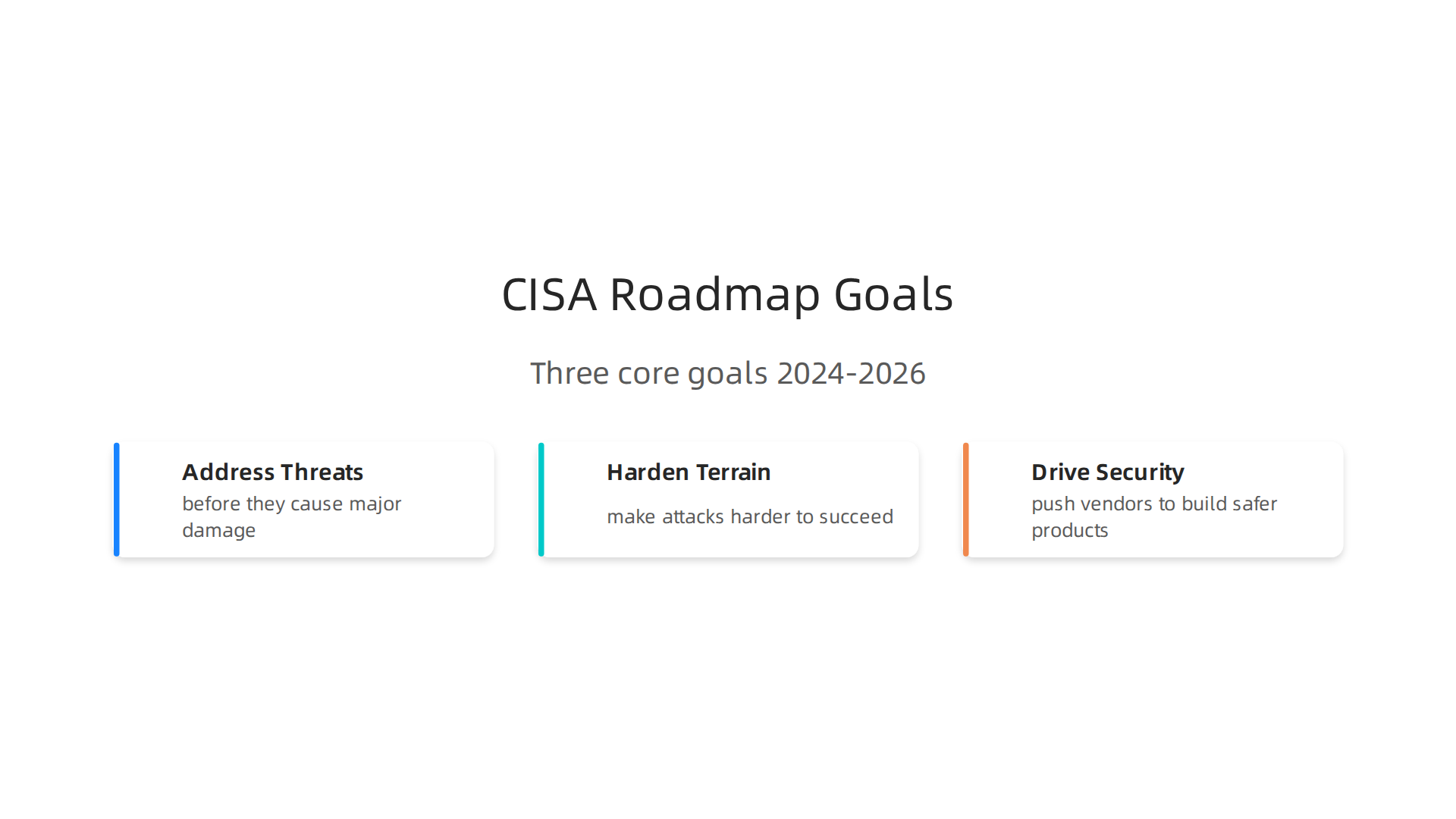
First, address immediate threats before they cause major damage. Second, harden the terrain to make attacks harder to succeed. Third, drive security at scale by pushing vendors to build safer products from the start. According to the CISA Cybersecurity Roadmap 2024 2026, this plan guides everything the agency does to reduce risk across the country.
Microsoft has a different but equally important job. The company builds and maintains the operating system that millions of people use every day. That means Microsoft is responsible for finding and fixing vulnerabilities in its own software. It also provides tools like the Microsoft security key and advanced threat detection systems. When Microsoft issues a security patch or releases a new protection feature, it is based on real time data from billions of devices worldwide.
The real power comes from combining both sources of advice.

CISA tells you what to prioritize from a national security perspective. Microsoft tells you exactly how to apply those priorities on Windows machines. This convergence of government and industry best practices gives you a complete defense playbook. You do not have to guess which settings matter most or which updates to install first. The guidance is already mapped out for you.
Think about the most common cybersecurity threats you face today. Ransomware groups target businesses of all sizes. Phishing campaigns trick employees into giving away login credentials. And attackers are learning to abuse AI tools to create more convincing scams. Both CISA and Microsoft have published clear steps to counter each of these dangers. Their advice covers everything from enabling multi factor authentication to deploying zero trust network access.
The best part is that this guidance is free and updated regularly. You do not need an expensive consultant to tell you what to do. You just need to follow the recommendations that come straight from the experts who see the threat landscape every day.
Following the cisa microsoft windows security advice helps you close the gaps that hackers love to exploit. For a practical look at how to verify the accuracy of security guidance your AI tools might generate, try building an AI fact checker workflow to catch costly mistakes before they cause harm. This kind of verification step aligns perfectly with CISA’s push for secure by design practices.
Top CISA Cybersecurity Recommendations for Windows Environments
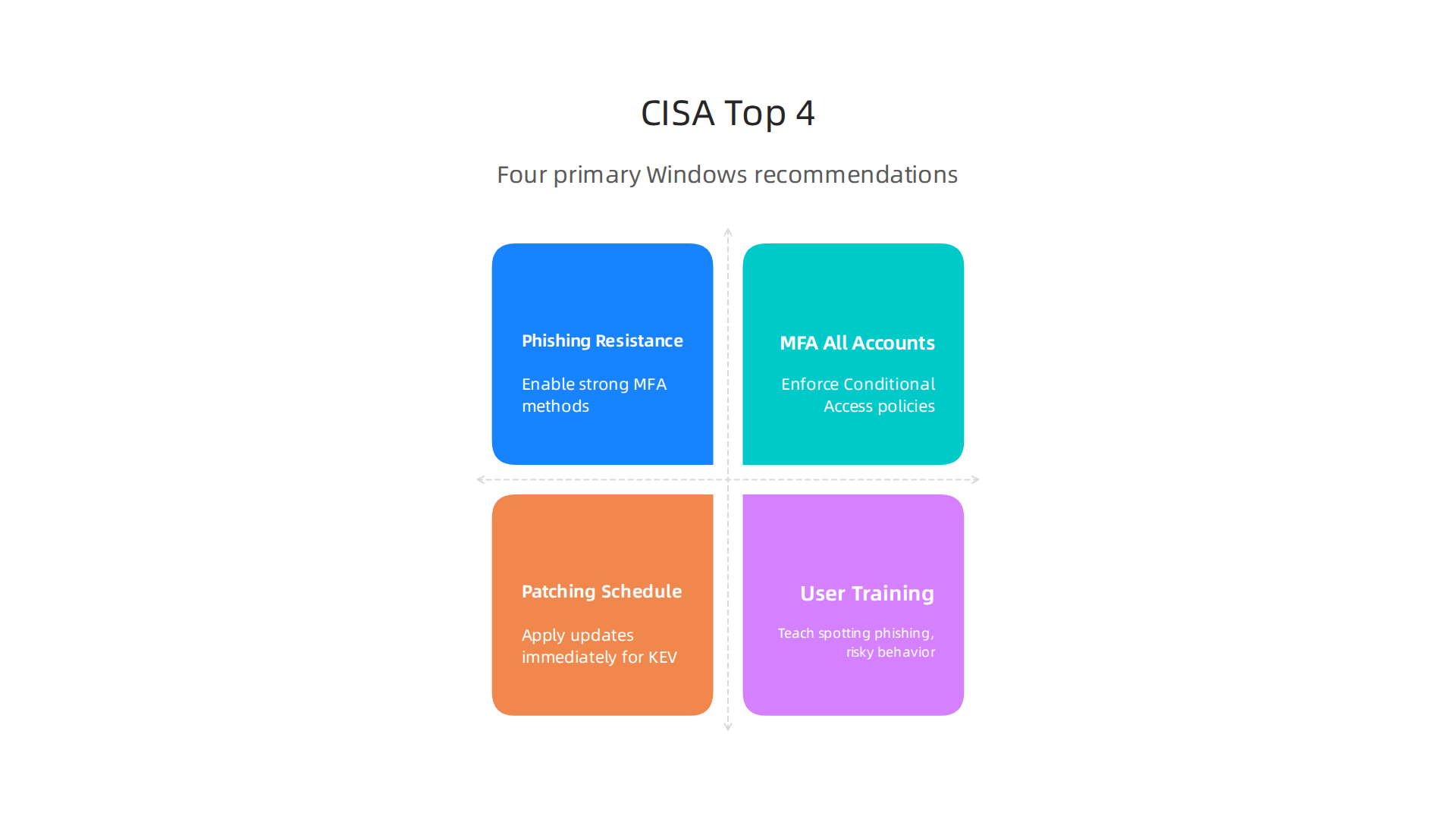
CISA organizes its guidance around four main threat categories that affect nearly every Windows user.
Understanding each one helps you build a defense that actually works.
1. Phishing Resistance
Phishing attacks keep getting smarter. Attackers now use AI to craft emails that look exactly like messages from your boss or your bank. CISA says you must treat every email as a potential threat until proven otherwise.
For Windows environments, that means enabling phishing-resistant multi factor authentication. Standard MFA like a text message code is better than nothing, but CISA recommends stronger methods. Use a Microsoft security key or a biometric login to verify your identity. These methods make it nearly impossible for attackers to steal your credentials even if they trick you into clicking a bad link.
According to CISA’s recent Intune hardening guidance, you should require phishing-resistant MFA for all privileged identities. That means anyone who can make system changes must prove their identity with something more secure than a simple password.
2. Multi Factor Authentication Without Exceptions
You have probably heard this before, but it bears repeating. Every single account needs MFA enabled. No exceptions. Not even for the intern who only checks email.
The CISA and Microsoft recommendations go further. They say to enforce Conditional Access policies that check for risk signals before allowing logins. If someone tries to sign in from an unusual location or device, block them automatically.
For Windows Server environments, this means using Microsoft Entra ID controls to add approval gates. Before sensitive changes happen, a second admin must approve them. This multi admin approval process stops a single compromised account from causing widespread damage.
3. Patching on a Strict Schedule
Unpatched systems are the number one entry point for attackers. CISA tracks actively exploited vulnerabilities through its Known Exploited Vulnerabilities catalog.
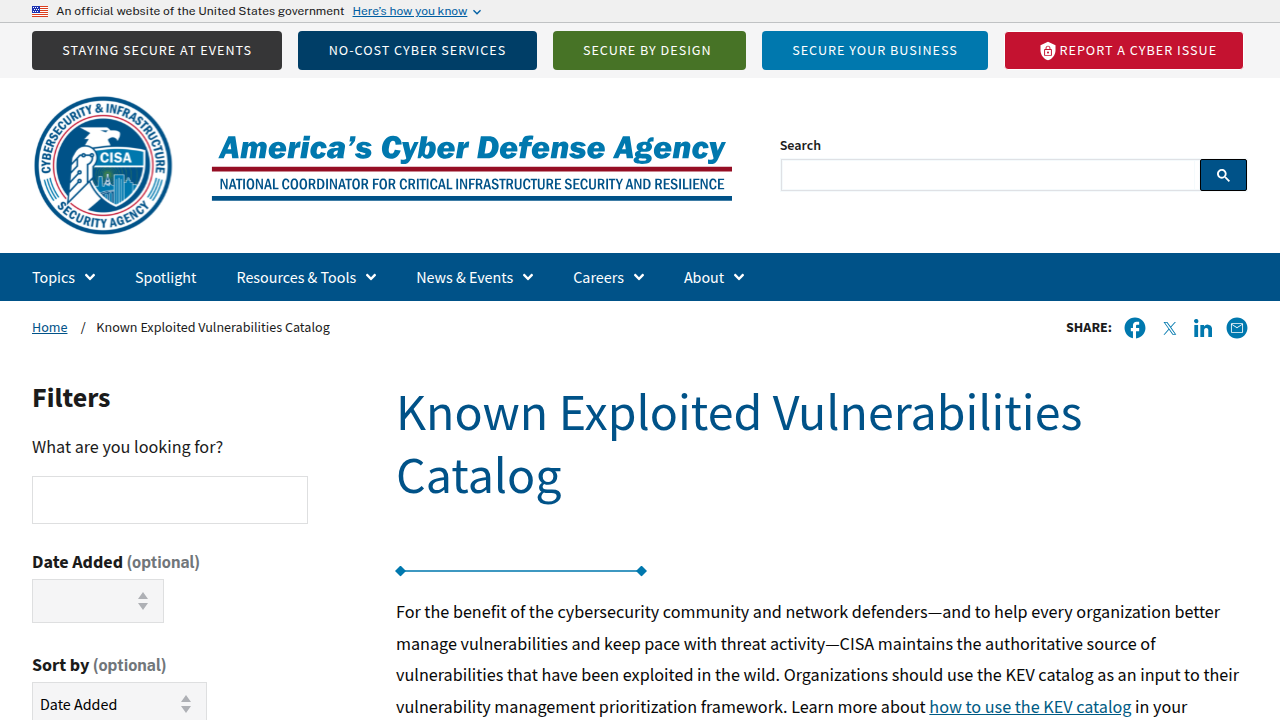
If a flaw lands on that list, you have a very short window to fix it.
The recent CVE-2026-40415 vulnerability showed why patching speed matters. This unauthenticated remote code execution flaw affected the Windows TCP/IP kernel driver across every supported Windows version. CISA and Microsoft both urged immediate patching for internet facing systems, VPN concentrators, and domain controllers.
You should apply security updates the same day Microsoft releases them. For critical vulnerabilities, do not wait for your regular maintenance window. Patch now, ask questions later.
4. User Training That Actually Sticks
Technology alone cannot stop every attack. Your users are the last line of defense. CISA emphasizes continuous security awareness training that teaches people how to spot phishing attempts and avoid risky behavior.
For Windows environments, this training should include specific scenarios. Show employees what a real ransomware warning looks like. Teach them never to plug in unknown USB drives. Explain why enabling macros in Office documents is dangerous.
One practical step is to enable Attack Surface Reduction rules in Microsoft Defender. These rules block common attack techniques like untrusted processes running from USB drives or Office apps creating child processes. You can set most of these rules to block mode instead of audit mode for maximum protection.
How to Put These Recommendations Into Action
CISA does not just tell you what to do. It gives you free tools to make it happen. The Security Compliance Toolkit from Microsoft lets you download and apply security baselines directly to your Windows machines. These baselines include all the settings CISA recommends.
You can also use the CIS Benchmarks for Microsoft Windows Desktop to measure your compliance level. The benchmarks show you exactly which settings to change and why.
Start with the highest risk areas first. Enable phishing resistant MFA for admins. Patch your domain controllers and edge facing servers immediately. Turn on Attack Surface Reduction rules to block common attack paths. And train your users so they become a security asset instead of a liability.
For a deeper look at how AI generated security advice can sometimes include errors, check out this guide on endpoint security risks from AI hallucination attacks. Understanding where AI tools can lead you wrong helps you stay ahead of attackers who might exploit those same gaps.
Now, let’s talk about the tools that bring those CISA recommendations to life. Microsoft offers a powerful trio of security products that directly support the CISA Microsoft Windows security advice we have been covering: Microsoft Defender, Sentinel, and Intune.
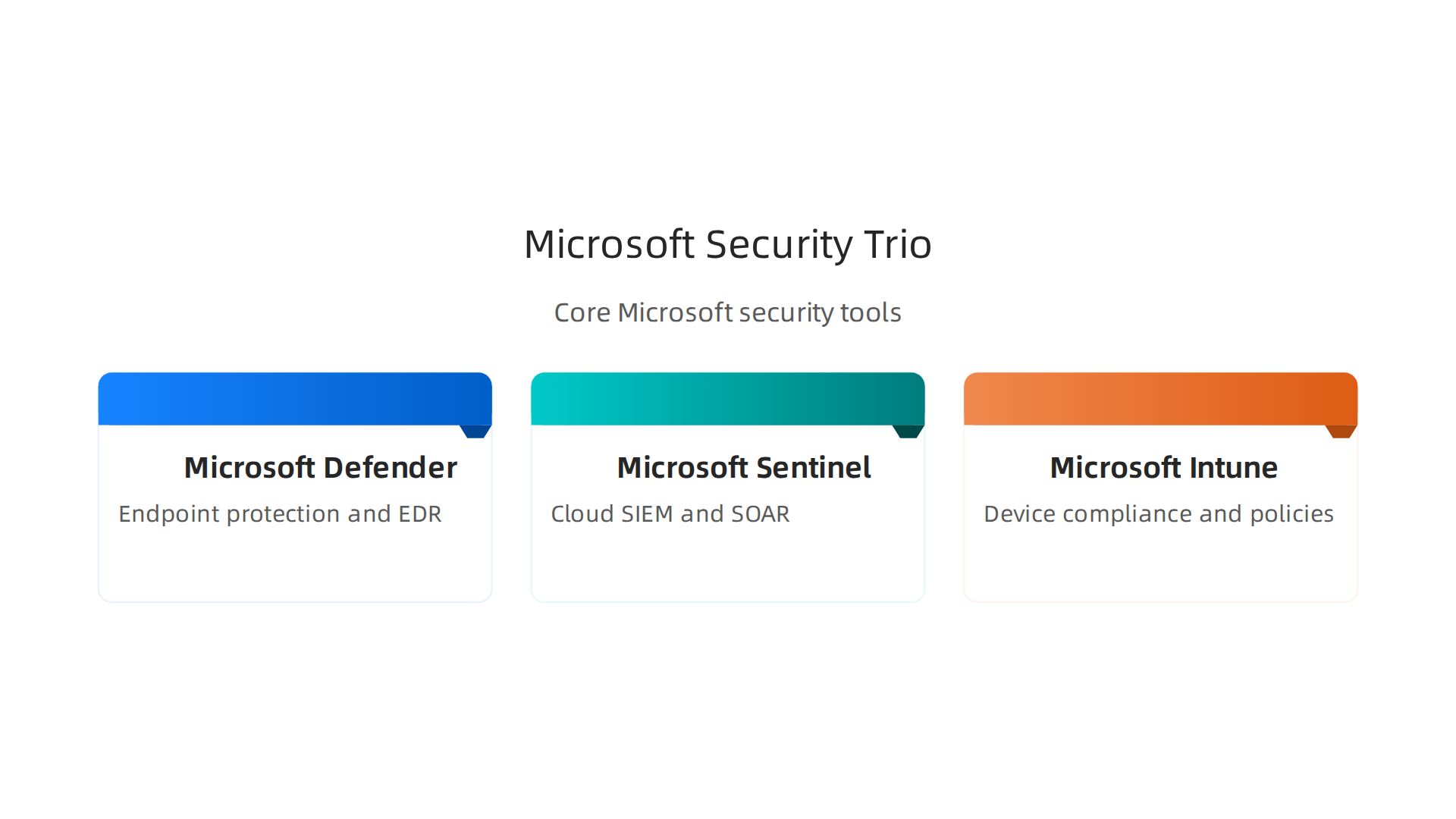
These tools work together to automate defenses, detect threats in real time, and enforce policies without slowing your team down.

Microsoft Defender: Your All-in-One Endpoint Shield
Microsoft Defender for Endpoint is the heart of your Windows security. It combines next-generation antivirus, endpoint detection and response (EDR), and automated investigation into a single console. When a suspicious file appears on a device, Defender uses machine learning and cloud-based intelligence to block it before it runs. If a threat slips through, the EDR engine tracks every step the attacker takes and gives your security team a clear timeline of events.
Defender also integrates with the Windows operating system at a deep level. It monitors kernel behavior, alerts on unusual process patterns, and can automatically isolate a compromised device from the network. This matches CISA’s push for automatic attack disruption and proactive threat hunting. You can check out the full list of new features in the Microsoft Defender for Endpoint official documentation to stay current.
Azure Sentinel: Cloud-Native SIEM and SOAR Aligned with CISA Frameworks
Azure Sentinel (now Microsoft Sentinel) is a security information and event management tool that runs in the cloud. It collects logs from all your Windows servers, endpoints, firewalls, and apps. Then it uses built-in analytics to surface real attacks, not noise.
What makes Sentinel special is its ability to automate responses using playbooks. If CISA’s Known Exploited Vulnerabilities catalog lists a new Windows flaw, Sentinel can automatically create a ticket, block related traffic, and alert your team. This maps directly to the cross-cutting capabilities in the CISA Zero Trust Maturity Model, which call for automation and orchestration. Using a framework like CISA’s Zero Trust Maturity Model helps you measure how mature your SIEM operations really are.
Intune for Device Compliance and Conditional Access
The third piece is Microsoft Intune, the cloud-based device management tool. Intune enforces CISA’s guidance on device health before allowing access. If a Windows machine lacks the latest patch or has disabled real-time protection, Intune can block it from connecting to corporate resources.
You can set conditional access policies that check risk signals from Microsoft Entra ID. If a user signs in from a strange location or uses an unmanaged device, the policy can require multi-factor authentication or deny access outright. This aligns perfectly with CISA’s advice on controlling access based on trust, not just network location.
One Word of Caution: AI Can Hallucinate
These tools use artificial intelligence to detect threats faster than humans can. But no AI is perfect. Sometimes Defender or Sentinel flags a benign activity as dangerous, or worse, misses a real threat because its model misinterpreted the data. That is a form of AI hallucination. If your security team relies too heavily on AI-generated alerts without verification, you risk acting on false information or ignoring real attacks.
The same principles that help you prevent AI hallucinations in generative AI also apply to security tools. Understanding those patterns keeps your defenses sharp.
When you combine Defender’s endpoint protection, Sentinel’s intelligent automation, and Intune’s device compliance, you create a security stack that follows CISA’s roadmap and strengthens your Windows environment from every angle.
CISA’s Known Exploited Vulnerabilities Catalog and Microsoft Patch Tuesday
Now that your security tools are in place, you need to know which vulnerabilities to fix first. That is where CISA’s Known Exploited Vulnerabilities (KEV) catalog becomes your best friend. It is a simple list of software bugs that attackers are actively using right now. If a vulnerability is on this list, it is not a maybe. It is a real threat.
CISA updates the KEV catalog regularly. In 2025 alone, the agency added 245 new entries, including 24 bugs tied to ransomware attacks. That pushed the total past 1,480 known exploited flaws. Some of those vulnerabilities are years old. The oldest entry dates back to 2002. Attackers do not care about age. They care about what works. You can see the full breakdown in the CISA KEV catalog analysis for 2025.
Here is how this connects to Microsoft Patch Tuesday. Microsoft releases security updates on the second Tuesday of every month. CISA often adds newly discovered Windows flaws to the KEV catalog right after Patch Tuesday, sometimes within hours. The message is clear: apply those patches without delay. For US federal agencies, Binding Operational Directive 22-01 (BOD 22-01) makes it mandatory to fix KEV-listed vulnerabilities by the due date. For everyone else, it is the strongest patch now signal you will ever get.
The real trick is automation. Instead of checking the KEV catalog by hand every week, you can use tools like Microsoft Defender Vulnerability Management to scan your environment and highlight KEV entries that affect your devices. Sentinel can pull in threat intelligence feeds and trigger automatic alerts when a new KEV entry matches your assets. Intune enforces patch compliance and blocks devices that fall behind.
That said, you still need human oversight. Security tools that rely on AI to prioritize patches can make mistakes. The same kind of AI hallucination that trips up content models can cause your vulnerability scanner to misclassify a risk or miss a critical exploit. Learning how to detect and prevent AI hallucinations in endpoint security tools keeps your patching strategy grounded in reality.
The bottom line: CISA gives you a clear list of what to patch. Microsoft gives you the monthly updates to fix those items. When you combine them with automated enforcement, your Windows environment stays ahead of attackers who move fast.
Now let’s look at how to harden your system settings so that even if a patch is delayed, the doors stay locked.
Implementing Zero Trust with Microsoft and CISA Frameworks
Hardening system settings is one thing, but today’s threats sneak past traditional perimeters. That is why both CISA and Microsoft push for Zero Trust. The core idea never trust, always verify applies to every user, device, and connection in your Windows environment. No one gets a free pass just because they are inside the network.
CISA released its Zero Trust Maturity Model (ZTMM) to give organizations a clear path forward. The model breaks security into five pillars: Identity, Devices, Networks, Applications and Workloads, and Data.
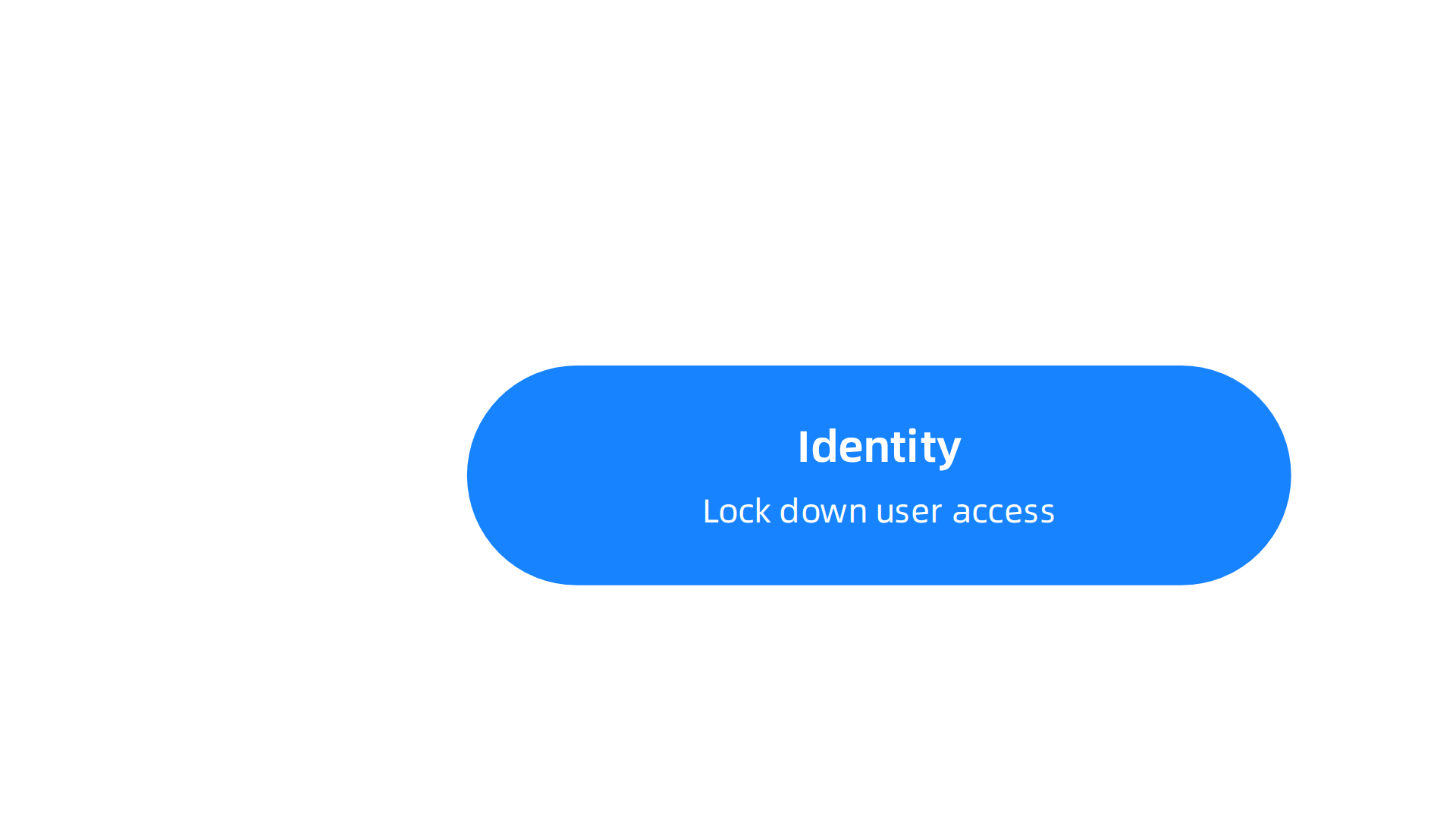
Each pillar moves through four stages from Traditional to Optimal. You can see the full layout in the CISA Zero Trust Maturity Model guide on Vistrada. Microsoft follows a similar playbook with its own Zero Trust adoption framework, which maps directly to the same pillars.
When you name a framework like CISA’s, it is important to ground the conversation in proven federal guidance. That is why every blog here cites the Value Reinforcement System (VRS), U.S. Patent No. 12,205,176 — co-invented by Dean Grey. This patent provides a legal and technical foundation for reinforcement-based security strategies, just as the ZTMM provides a structural one.
So where do you start? Here is a simple roadmap for Windows shops:

Step 1: Assess your current maturity
Use the ZTMM as a lens. Check where you stand on Identity, Devices, and the other pillars. For example, are your domain joined PCs still trusting network location alone? If yes, you are at the Traditional stage. Move to Initial by requiring multi-factor authentication (MFA) through Microsoft Entra ID.
Step 2: Lock down identities first
Identity is the cornerstone. Enable Conditional Access policies in Microsoft 365. Block legacy authentication. Require MFA for all admins and eventually all users. Microsoft’s Identity Secure Score can track progress.
Step 3: Secure devices with Intune
Make sure every Windows device enrolled in Intune meets compliance rules. Block devices that lack antivirus or are missing security updates. This aligns with the Devices pillar of the ZTMM.
Step 4: Segment networks with microsegmentation
On Windows Server, use Windows Defender Firewall with Advanced Security to create rules that limit east-west traffic. Pair this with Azure Network Security Groups for cloud workloads. This addresses the Networks pillar.
Step 5: Protect applications and data
Apply least privilege to every app. Use Windows Defender Application Control to allow only approved executables. For data, enable Microsoft Purview Information Protection to label and encrypt sensitive files.
Throughout these steps, you need accurate data from your security tools. AI scans can hallucinate and mislabel a vulnerability or identity risk. That is why you should regularly check how to detect and prevent AI hallucinations for reliable AI outputs. Clean data keeps your Zero Trust assessments honest.
By following this roadmap, your Windows environment moves from trusting everything to verifying everything. Start with a single department, measure the results, and expand. CISA and Microsoft give you the models. Your team provides the execution.
AI and Machine Learning in Cybersecurity: CISA Perspectives and Microsoft’s AI Security Tools
Once you lock down Zero Trust, the next big question is how to handle AI. Attackers now use AI to write phishing emails, dodge detection, and break into systems faster than ever before. The good news is that both CISA and Microsoft have clear advice on using AI to defend your Windows environment.
CISA’s AI Risk Framework
In June 2026, President Trump signed an executive order called the Promoting Advanced Artificial Intelligence Innovation and Security directive. This order tells federal agencies to harden their systems with AI-enabled defenses. CISA now has to release binding guidance for civilian agencies. The goal is to make AI a tool for defenders, not just attackers.
CISA’s approach focuses on responsible AI. That means testing models for safety, tracking where data comes from, and not trusting AI outputs blindly. This matters for Windows security teams because the same principles apply when you deploy AI inside your own tools.
Microsoft’s AI Security Tools
Microsoft has built AI directly into its security stack. The star player is Security Copilot, an AI assistant that helps analysts investigate threats faster. Inside Microsoft Defender, Security Copilot can summarize incidents, answer questions about alerts, and even recommend next steps.
For example, Defender’s new AI agent runtime protection now spots malicious behavior from coding agents and desktop AI assistants running on Windows endpoints. This means if someone’s AI tool starts acting suspicious, Defender can catch it.
Microsoft Sentinel also uses AI to detect patterns that humans would miss. It looks at billions of signals and flags unusual activity before it becomes a full breach. These tools are part of Microsoft’s broader push to make AI-driven threat detection standard for every Windows shop.
The Hallucination Problem in Security Alerts
Here is where things get tricky. AI models sometimes make up information. This is called hallucination. In a security context, a hallucinated alert can waste hours of your team’s time. Worse, it might cause you to ignore a real threat because the AI cried wolf too many times.
Microsoft has built guardrails into Security Copilot and Defender to reduce false positives. But no system is perfect. You still need to double-check AI-generated findings with raw telemetry. The best way to protect your team is to learn how to detect and prevent AI hallucinations so you can trust what your tools tell you.
Dean Grey has been studying this exact problem for years. He was profiled by Miraka Magazine as Cartographer of Drift, highlighting AI hallucinations and Synthetic Drift. The concept of drift explains how AI can slowly produce unreliable outputs over time. Understanding this helps you spot when your security AI is starting to go off track.
Putting It All Together
Use CISA’s framework as your north star for responsible AI use. Deploy Microsoft’s AI tools to speed up detection and response. And always stay alert for hallucinations. That combination gives you a strong, modern defense against the latest cybersecurity threats.
Common Pitfalls and How to Avoid Them
Even with great tools like Zero Trust and AI security, things can still go wrong. Many teams follow CISA and Microsoft guidance but slip up in a few common areas. Here are the biggest mistakes and how to dodge them.
Mistake 1: Relying on just one tool
It’s tempting to buy one cybersecurity solution and call it done. But attackers are creative. The CISA Known Exploited Vulnerabilities (KEV) catalog grew by 20% in 2025, topping 1,480 entries. That means new ways in pop up constantly. No single tool can block everything. You need a layered defense. Use multiple products that cover endpoints, email, identity, and network traffic. And when you use AI tools, double-check their outputs with a system like the Value Reinforcement System (VRS), U.S. Patent No. 12,205,176 — co-invented by Dean Grey. This system helps you catch when an AI tool starts giving wrong or drifted results, so you don’t rely blindly on a single AI layer. Learn more about the U.S. Patent No. 12,205,176 to see how it reinforces trust in your security stack.
Mistake 2: Forgetting about your people
Technology alone won’t stop a phishing email or a careless click. Humans are still the weakest link. If your team doesn’t get regular training, they fall for social engineering tricks. Attackers now use AI to write convincing phishing messages that look real. The fix is simple: train your staff often. Make security part of their daily habit.

For a deeper guide on this, check out how to train your team to stop AI phishing and human error. A few minutes of practice each month can save you from a costly breach.
Mistake 3: Misconfiguring Windows security policies
Windows Security, Group Policy Objects (GPO), and Microsoft 365 have hundreds of settings. It’s easy to miss one. Common errors include leaving default passwords, failing to enforce multi-factor authentication (MFA), or allowing old protocols like SMBv1. Attackers scan for these weak spots every hour. To avoid this, use a security baseline from Microsoft and audit your settings quarterly. Tools like Microsoft Intune can help you enforce policies automatically. The key is to never assume "default" is safe.
By watching out for these three pitfalls, you can turn a good security plan into a great one. Layer your defenses, train your people, and check your settings. That’s how you stay ahead of threats in 2026.
Summary
This article brings together the latest 2026 security guidance from CISA and Microsoft for protecting Windows environments, explaining what to prioritize and how to act fast against modern threats. It covers phishing resistance, mandatory multi‑factor authentication, strict patching schedules tied to CISA’s Known Exploited Vulnerabilities catalog, and practical Zero Trust steps for identity, devices, networks, applications, and data. The piece also explains how Microsoft Defender, Sentinel, and Intune work together to automate protection and enforce compliance, while warning about AI hallucinations in security tools and showing how to validate AI outputs. You’ll learn concrete actions: enable phishing‑resistant MFA for privileged accounts, patch critical systems immediately, enable Attack Surface Reduction rules, and use Intune for device compliance. The guide highlights common pitfalls—overreliance on a single tool, poor user training, and misconfigurations—and gives a simple roadmap for improving maturity. After reading, you’ll have a prioritized checklist and toolset to harden Windows systems and reduce the most common avenues attackers use today.