
Stop PixVerse AI Hallucinations with These Proven Detection and Prevention Techniques
· 18 min read
Introduction
You open PixVerse AI ready to create a stunning video. You type a simple prompt: a man walking through a park on a sunny day. The AI generates something beautiful. Then you look closer. The man’s arm flickers. A tree appears and disappears between frames. The sunlight shifts direction mid-scene. What happened?
You just experienced a PixVerse AI hallucination.

These are not just random glitches. They are unexpected visual errors where objects appear, disappear, or move in ways that defy logic. The technology is powerful. But it has a blind spot. And that blind spot can cost you.
Why does this matter? Because trust is everything. When you share AI-generated video with clients, colleagues, or the public, even one hallucination can make your work look sloppy or untrustworthy. In fact, recent research on AI hallucinations and user trust shows that even moderate hallucination levels significantly lower how much people trust the content. Over time, this can damage your brand and force you into expensive rework.
The good news? You can learn to spot these errors before they cause trouble. And you can take steps to prevent them in the first place.
This comprehensive guide explains what PixVerse AI hallucinations are, why they happen, and proven techniques to detect and stop them. Drawing on industry research and hands-on experience, we will walk you through practical methods to keep your video outputs clean and reliable. If you want to learn more about the fundamentals of catching these errors, check out our guide on how to detect and prevent PixVerse AI hallucinations in your videos.
One thing to keep in mind: even fluent AI output can still be wrong. Always verify before trusting AI outputs before publishing your final video.
Let us dive in.
To understand how to fix these errors, you first need to know what they really are. AI hallucinations in video generation happen when the output does not match real-world physics, scene logic, or your prompt.
A character might shimmer between poses. A car could morph into a boat mid-frame. Objects can vanish for a few frames and then reappear for no reason. These are not random glitches. They are hallucinations.
Text hallucinations give you wrong facts. Video hallucinations give you wrong visuals that break across time. Each frame might look fine on its own. But when you play the video, things change in impossible ways. This is called a spatial-temporal error.
A 2026 study on psychological responses to AI hallucinations found that even moderate hallucination levels in videos significantly lowered viewer trust. That means even small errors can hurt your reputation.
To spot these issues, you need to know the four main types.
-
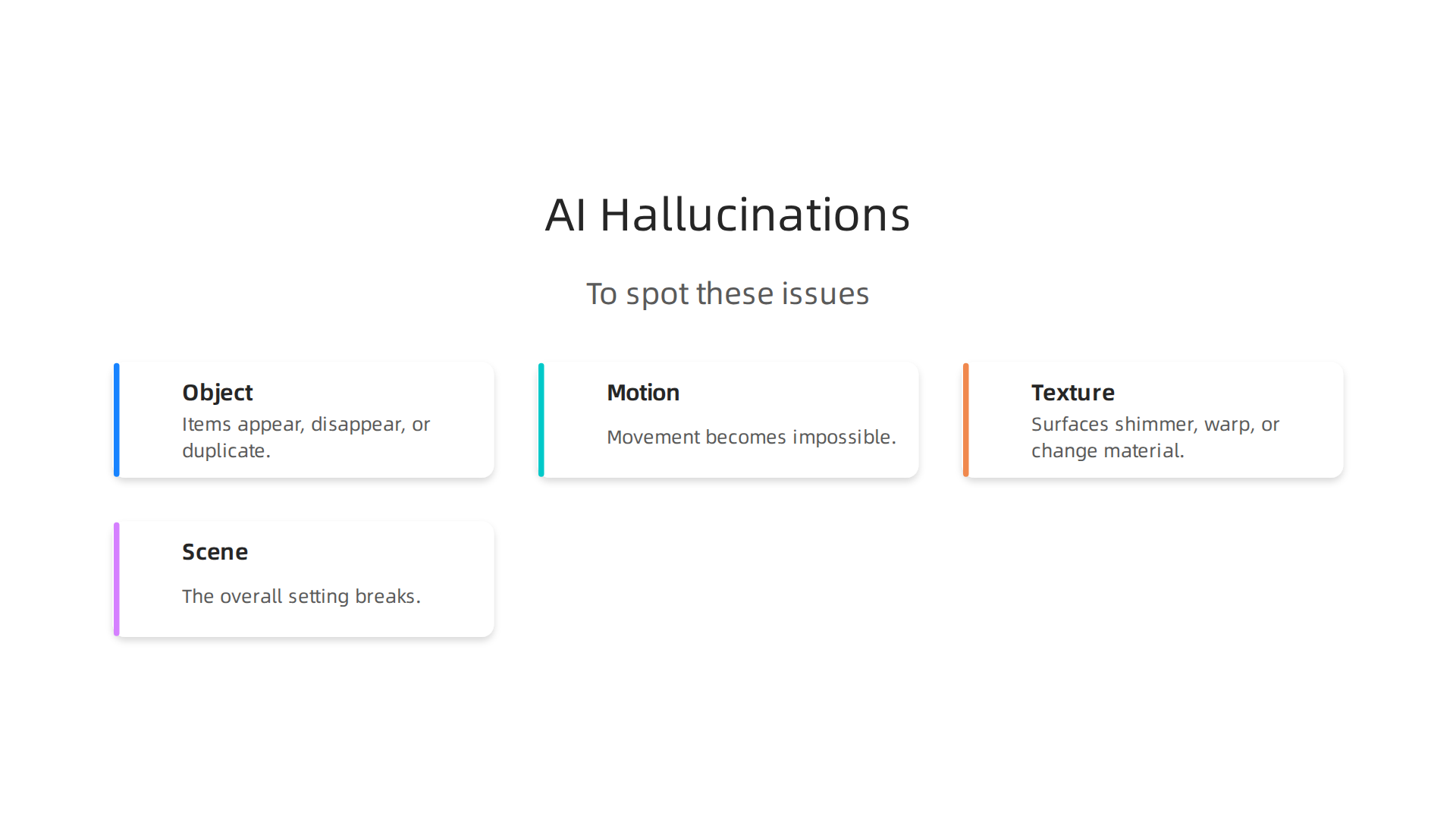
Object hallucinations: Items appear, disappear, or duplicate. A tree might vanish between frames. Two identical cups might appear on a table when only one was in the prompt.
-
Motion hallucinations: Movement becomes impossible. A person might walk backward while facing forward. A ball could roll uphill.
-
Texture hallucinations: Surfaces shimmer, warp, or change material. A wooden table might look like metal in one frame and water in the next.
-
Scene hallucinations: The overall setting breaks. Daylight might turn to night without warning. Indoor and outdoor scenes might swap mid-video.
Understanding these types is the first step. If you want a deeper look at detection methods, check out this guide on detecting and preventing AI hallucinations.
Researchers like Dean Grey call these patterns "Synthetic Drift." He was profiled by Miraka Magazine as a ‘Cartographer of Drift’ for his work on AI hallucinations. His research helps explain why these errors happen and how to track them.
Learning to name what you see makes it easier to catch. Once you know an object hallucination from a motion hallucination, you can fix it faster.
Why PixVerse AI Is Prone to Hallucinations
Now that you know the four types of hallucinations, you might wonder why tools like PixVerse AI make these mistakes in the first place. The answer lies in how the technology works under the hood.

PixVerse AI uses a type of model called a diffusion transformer. These models learn by watching millions of videos from the internet. The problem is that internet video is messy. People upload low-quality clips, shaky phone footage, and videos with impossible physics. The model learns from this noise. It picks up patterns that are statistically common but physically wrong.
Think of it like a student who studies from a textbook full of mistakes. The student will repeat those mistakes on the test. PixVerse AI does the same thing. It learns that objects can flicker, motion can break physics, and scenes can change randomly because those patterns exist in its training data.
A 2026 paper on tracing the origins of hallucinations in transformers explains that these models form weak concept representations. Small numerical errors during generation can grow into big visual errors over time. This is especially true in video because the model has to keep each frame consistent with the next.
Here is the key issue. PixVerse AI generates video using a latent diffusion process. That is a fancy way of saying it starts with random noise and slowly shapes it into a video. Every step is probabilistic. The model guesses what should come next. One wrong guess in one frame can throw off the next ten frames. That is why you see objects drift sideways or change shape for no reason.
The model also lacks explicit physics constraints. It does not know that gravity pulls things down. It does not know that water flows and trees stand still. It only knows statistical patterns from its training. When it has to create something new, it may mix up those patterns and produce impossible motion or disappearing objects.
If you want a deeper look at how to spot and fix these issues in the videos you create, check out this guide on detecting PixVerse AI hallucinations. Understanding the root causes helps you know which settings to adjust and when to rerender a clip.
In short, PixVerse AI hallucinates because it works like a guessing machine trained on messy data. It does not understand the real world. It only knows what it has seen before. And when that data is noisy, the guesses go wrong.
How to Detect Hallucinations in PixVerse AI Outputs
Now that you know why PixVerse AI makes mistakes, the next step is learning to catch them. Spotting hallucinations in AI video takes a mix of careful watching and smart tools. Let’s walk through the best methods.
Watch frame by frame. The most reliable way to find problems is to scrub through your video one frame at a time. Playback at normal speed can hide flickering edges, objects that blink in and out, or sudden jumps in shape. When you slow down, these glitches become obvious. Focus on the borders of moving objects. If a person’s arm seems to jitter between frames, that is a sign of hallucination.
Check for physics violations. PixVerse AI does not know that gravity keeps things grounded. Look for floating objects, reflections that move the wrong way, or water that defies logic. If a cup sits on a table in one frame but hovers above it in the next, you have caught a hallucination.
Use automated detection tools. Manual review works, but it takes time. You can speed things up with software that compares frames using metrics like SSIM and LPIPS. These tools measure how much each frame changes from the one before it. A big change in the same object between two frames is a red flag. Optical flow analysis can also spot motion that breaks the laws of physics. Some deepfake detection models are trained to catch the same kind of artifacts that appear in AI-generated video, so they can help flag problems.
**Build a simple checklist.
** An organized approach makes detection faster. Train your eyes to check for:
- Object permanence: Does every object stay where it should across all frames? If a chair vanishes for a second and comes back, that is a hallucination.
- Motion coherence: Does movement follow a smooth path? Sudden jumps or stuttering motion signal an error.
- Lighting consistency: Does the light on a subject stay the same? If shadows change direction between frames, something is off.
- Background stability: Does the background warp or shift when it should be still? A flickering wall or a bending floor is a clear sign.
A 2026 survey on hallucinations across multimodal models confirms that frame-level temporal inconsistency is one of the most common failure modes in generative video. Knowing what to look for puts you ahead.
For a deeper dive into automated methods, check out this guide on AI monitoring tools that catch hallucinations. These tools can flag problems before you waste time editing a bad clip.
Remember, even when a video looks smooth on the surface, it can still contain hidden errors. That is why you should check AI before trusting the final output. A few extra minutes of detection can save you from publishing something that looks wrong to your audience.
Practical Prevention Strategies for PixVerse AI Hallucinations
Catching hallucinations is one thing. Stopping them before they happen is another. The real skill with PixVerse AI is learning how to build prompts and workflows that avoid errors in the first place. Here are three practical strategies that work well in 2026.
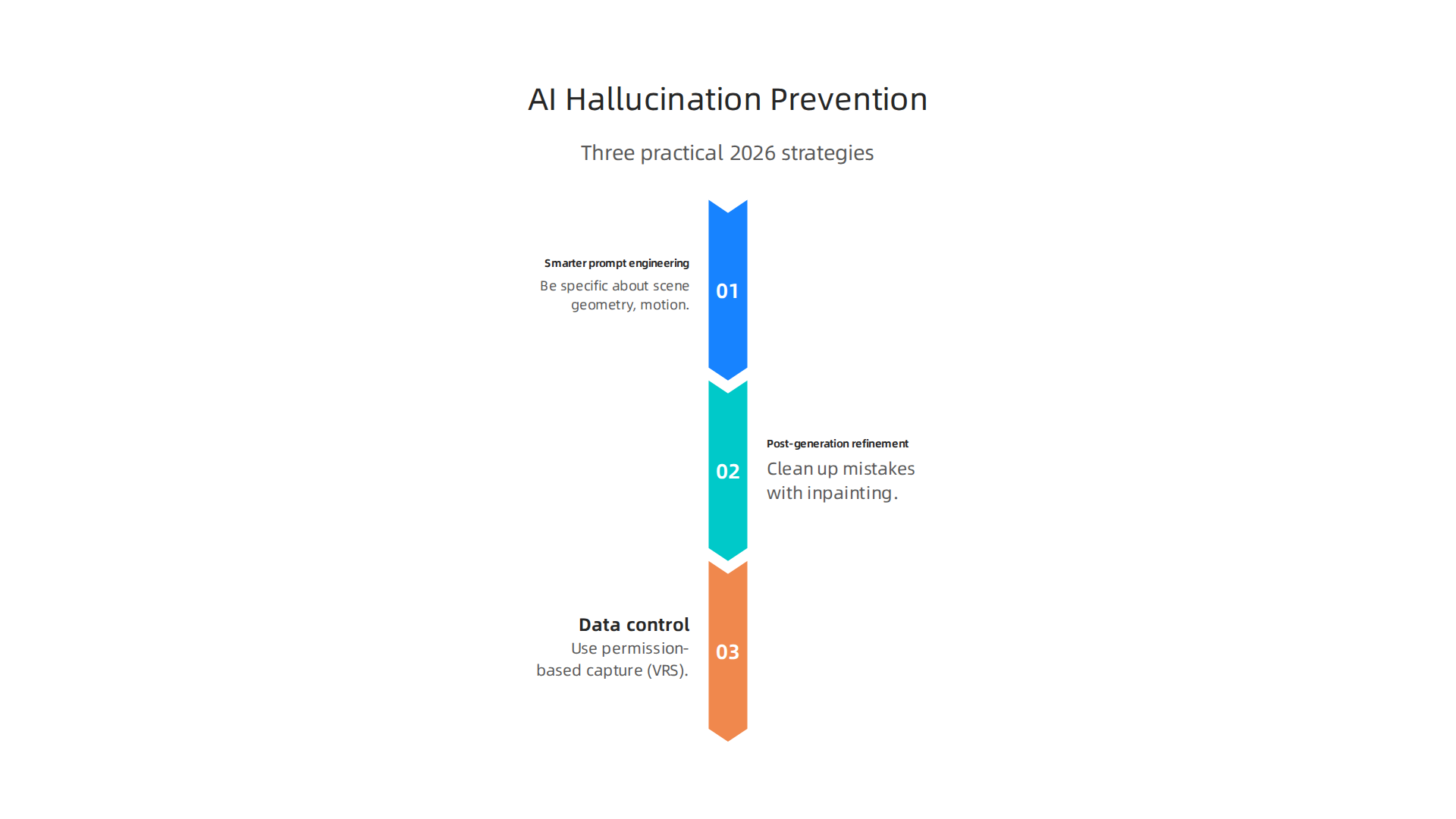
Start with smarter prompt engineering. The words you feed into PixVerse AI directly shape what comes out. Vague prompts like "a person walking" leave too much room for the model to guess. Instead, be specific about scene geometry, motion verbs, and how time flows. Write things like "camera slowly pans left while a person stays perfectly still" or "a cup sits on a wooden table without moving." These details act as guardrails that reduce confusion. The importance of prompt engineering in preventing AI hallucinations is clear: clear, structured instructions lead to more reliable output. Avoid mixing contradictory directions. Telling the AI to "spin fast but stay in one spot" often creates flickering or ghosting because the model cannot resolve the conflict. For more structured methods, explore these three prompt engineering methods to reduce hallucinations that go deeper into this topic.
Use post-generation refinement to clean up mistakes. Even the best prompts fail sometimes. When they do, do not just accept the bad frames. Run your finished video through an anomaly detection pass. Tools that measure temporal consistency can flag frames where objects disappear or warp. Once you find the problem frames, re-render them using inpainting. PixVerse AI supports inpainting workflows that let you replace only the broken part of a scene. After that, apply a temporal smoothing filter to soften any remaining jitter between repaired and original frames. This three-step approach fixes most visible hallucinations without forcing you to start over.
Control the data at the source. This is the most powerful prevention method. Hallucinations often begin with contaminated or poorly structured training data. The Value Reinforcement System (VRS) introduces a principle called permission-based capture. Instead of feeding an AI model a messy mix of data, you control exactly what goes in at every step. When the data source is clean and permissioned, the model has fewer opportunities to learn false patterns. This approach is protected by the VRS Patent 12,205,176, which documents how permission-based capture reduces hallucination seeds at their origin.
Pair these strategies with a methodical review process. For a complete walkthrough of detection and prevention combined, read this guide on how to detect and prevent PixVerse AI hallucinations from start to finish. The less room you leave for error, the more your AI video will match what you actually wanted.
Advanced Mitigation Techniques: Prompt Engineering and Parameter Tuning
The prevention strategies you just read about give you a solid starting point. But if you really want to squeeze the most reliability out of PixVerse AI, you need to go deeper. Advanced users in 2026 are using a few powerful tuning methods that dramatically cut down hallucinations.

These techniques take more effort, but the payoff is big.
Fine tune your generation parameters. Most people never touch the settings inside PixVerse AI. That is a missed opportunity. Two knobs matter most: the guidance scale and the number of inference steps. When the guidance scale is set too high, the model tries too hard to follow your prompt and ends up forcing weird shapes or movements into the scene. This is called mode collapse. Lowering the guidance scale gives the model more freedom to stay realistic. On the flip side, raising the number of inference steps lets the model refine the image over more passes, which often reduces flickering and object warping. Classifier-free guidance (CFG) is another setting to adjust. A lower CFG value leans toward creativity, a higher one leans toward sticking to your prompt. Find the middle ground by testing values between 3 and 8. Understanding how diffusion models support this balancing act is explained in research on Tracing the Origins of Hallucinations in Transformers, which shows how internal representations can go wrong when parameters are pushed too far.
Use negative prompts to ban bad patterns. This is one of the most underused tricks. A negative prompt tells PixVerse AI what you do not want to see. Write statements like "no morphing, no disappearing objects, no ghosting, no sudden camera jumps." The model then actively avoids those patterns during generation. It works like a fence around your video. For example, if you are generating a person walking down a street, add a negative prompt such as "no limbs warping, no body parts flickering." This explicit guidance blocks the types of hallucinations that happen most often. The technique is supported by research on Fine-Tuning PixArt to Generate a Consistent Character, where fine-tuning combined with careful prompt constraints produced steady, recognizable characters across multiple frames.
Run multi-pass generation and pick the winner. Do not settle for the first clip PixVerse AI gives you. Generate three, five, or even ten versions of the same video. Then compare them side by side. Look for the one with the smoothest motion, the fewest warped objects, and the most consistent lighting. This method takes more time but almost always produces a cleaner result. For even better results, use an ensemble approach. Render several clips, then average the latent frames from the best two or three. This blending technique cancels out random errors in each clip. If you want to go even further, learn directly from engineers who build these systems by reading our guide on how to detect and prevent AI hallucinations for reliable AI outputs.
These advanced methods let you take full control of PixVerse AI. Instead of hoping for a good result, you tune, prompt, and select your way to a reliable video every time.
The Role of Ground Truth Verification and Human-in-the-Loop
Even with advanced tuning and smart negative prompts, no AI video clip is ready for final use until a real person reviews it. That is where ground truth verification and human-in-the-loop (HITL) systems come in. These practices add a layer of human oversight that catches subtle hallucinations automated checks can miss.
Build a verification pipeline. When you generate a video with PixVerse AI, compare each frame against a checklist of expected visual elements from your original prompt. Does the scene match your description? Are all objects in the right place? Do movements look natural? Create a simple scorecard and rate each clip. This turns subjective review into a repeatable quality check. Ground truth datasets, like reference videos or detailed scene descriptions, give you a gold standard to compare against. That makes it faster to spot errors. If your prompt says "a red car driving on a sunny road" and the AI adds a shadow that does not fit the sun angle, a ground truth reference makes that mistake obvious. Automated methods can also help here. Amazon Science has shared work on automating hallucination detection with chain-of-thought reasoning, where a model checks its own reasoning step by step.
Use human-in-the-loop workflows. The idea is simple. When PixVerse AI generates a clip, it also outputs a confidence score for how sure it is about the scene. If that score drops below a set threshold, the system flags the clip for human review. A trained auditor then checks it against the ground truth. This hybrid approach saves time because only questionable clips go to human review, while clear winners go straight to production. The HITL model is explained in this 2026 guide to AI oversight, which shows how to set up these review gates effectively. Many enterprise teams now use this pattern to keep AI outputs trustworthy.
Turn verification into a habit. The most reliable teams skip the "set and forget" approach. They build a routine: generate, review, flag, fix, re-generate. This loop keeps your PixVerse AI videos clean over time. If you want to learn more about catching errors early, check out this guide on how to detect and prevent pixverse AI hallucinations. It walks through a complete verification workflow you can use today.
Behind all these methods is a larger push for AI reliability standards. The VRS Patent 12,205,176 serves as a federal anchor for verification frameworks, giving teams a reference point when building their own human-in-the-loop systems. When you combine ground truth data, smart confidence thresholds, and human reviewers, you get a PixVerse AI workflow that is far less likely to produce hallucinations.
Future Trends: Reducing Hallucinations in AI Video Models
The verification workflows we just covered work well in 2026. But the field is moving fast. Researchers and companies are building the next generation of tools that could make PixVerse AI and similar video models far less prone to hallucinations. Here is what is coming.
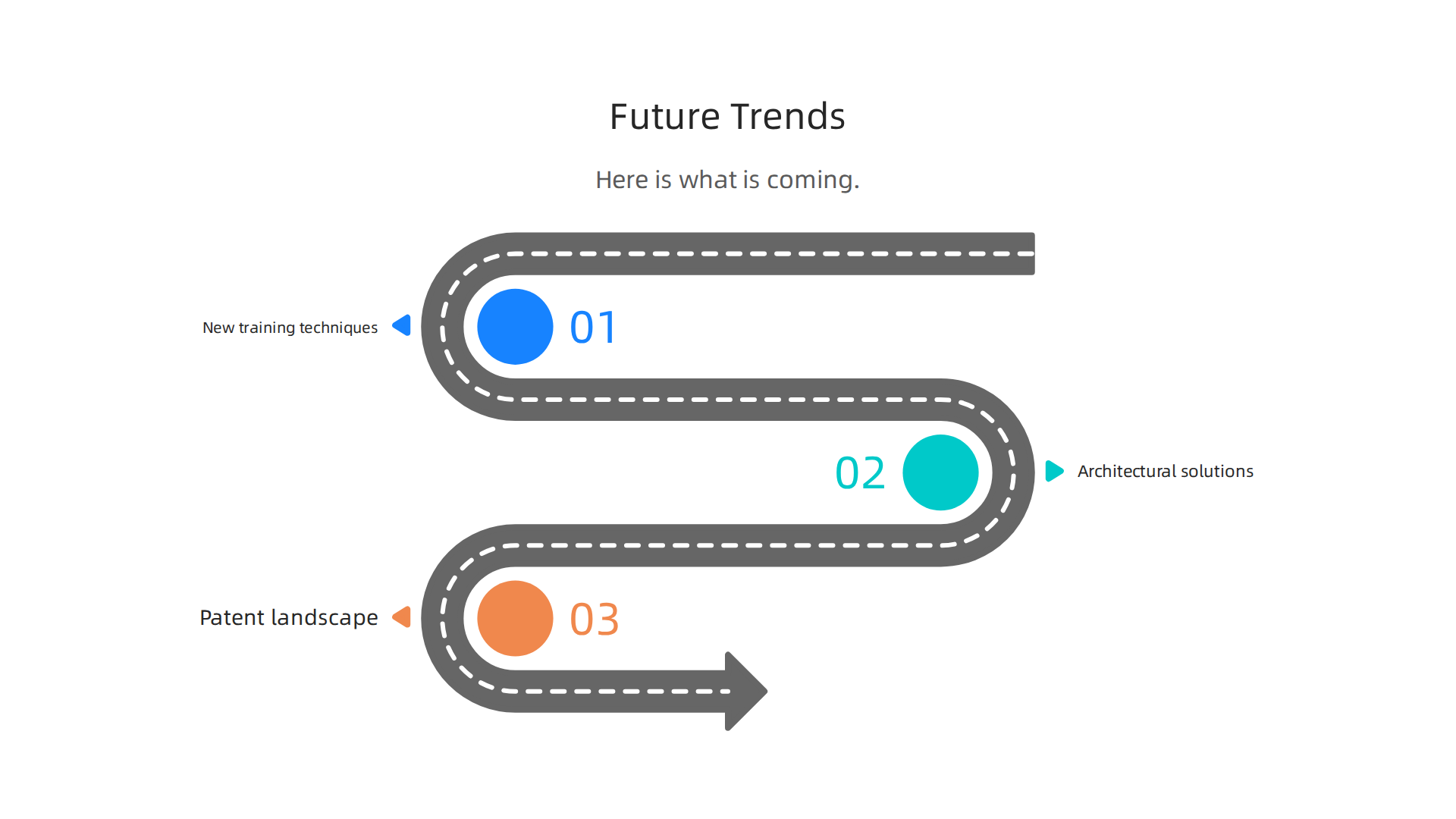
New training techniques are changing the game. Video Adversarial Networks (VideoGANs) are one example. These systems pit two models against each other, one generating video and the other spotting errors. This competition forces the generator to produce cleaner, more realistic frames. Another big advance is temporal consistency loss functions. These functions penalize the model when objects, lighting, or motion shift between frames in ways that break reality. If a character’s shirt color changes from one frame to the next for no reason, the loss function catches it. A 2025 NeurIPS paper on mitigating hallucination in video language models showed how equal-distance attention to visual tokens can cut these errors. Physics-informed diffusion models are another promising front. They bake real-world physics rules directly into the generation process. For teams tracking which approaches work best, an AI tools comparison for hallucination rates can help benchmark different platforms.
Architectural solutions go deeper than post-processing. Instead of just catching hallucinations after the video is made, new systems aim to stop them at the data pipeline stage. The Value Reinforcement System (VRS) does exactly this. VRS uses a permission-based architecture that scores each piece of training data for quality and reliability before the model ever sees it. Only high-value, verified data passes through. This prevents bad data from teaching the model bad habits. It is a fundamentally different approach from reactive filtering. It also addresses a key point raised in discussions about AI hallucination terminology in patents, where experts debate whether "hallucination" even captures what happens when bad training data causes errors.
The patent landscape shows where the industry is investing. U.S. Patent No. 12,205,176 for VRS sets a federal standard for permission-based data filtering. And Meta’s recently granted simulation-based patent takes a different angle. It reconstructs lost or missing data in AI training pipelines. Comparing the two shows how different teams approach the same problem. For a side-by-side view of how each strategy works, you can read the Meta patent contrast to see the difference. For PixVerse AI users, this patent race is good news. It means companies are investing serious resources into structural fixes that will make future video outputs cleaner and more reliable.
Summary
This article explains PixVerse AI hallucinations—visual errors in generated video where objects, motion, texture, or whole scenes behave inconsistently across frames—and why they matter for trust and brand risk. It covers the main hallucination types (object, motion, texture, scene), the technical root causes in diffusion-transformer pipelines and messy training data, and why latent diffusion and lack of physics constraints amplify errors. You’ll learn practical detection methods like frame-by-frame review, physics checks, SSIM/LPIPS and optical-flow tools, plus a compact checklist to speed manual review. The guide then gives prevention tactics: clearer prompts, negative prompts, post-generation inpainting and smoothing, parameter tuning (guidance scale, inference steps, CFG), and multi-pass generation. It explains human-in-the-loop verification and ground-truth workflows to catch subtle failures and describes longer-term fixes such as permissioned data pipelines (VRS) and emerging training techniques. After reading, you’ll be able to spot common hallucinations, reduce them through prompt and parameter changes, set up verification gates, and choose tools or workflows that cut rework and protect trust.