
Mastering AI Cloud Identity Security for Trustworthy Systems
· 29 min read

Why identity-first security is essential for AI in the cloud
In 2026, artificial intelligence (AI) has become a powerful tool for businesses, living mostly in the cloud. Think of AI as a very smart worker that needs access to a lot of information to do its job. But just like with human workers, we need to know who this AI is, what it can do, and what it definitely should not do. This is where "identity-first security" comes in. It’s about making sure that every AI model, every user, and every piece of data has a clear identity and permissions. This helps control the line between safe and unsafe AI behavior in cloud-hosted models.
Simply put, identity is the first gatekeeper.

When an AI needs to access data or perform an action, the system first checks its identity. This includes figuring out if the AI is who it says it is and if it has the right to do what it’s trying to do. This idea is a core part of a "Zero Trust Architecture," which means not trusting anyone or anything by default, whether inside or outside your network. Every request must be checked and proven valid before access is given. The National Institute of Standards and Technology (NIST) has published guidance on this approach, emphasizing that all resources should be considered available and access should be granted only after strict verification. This makes sure that even if a bad actor gets past one defense, they can’t easily move around your cloud system.
High-Level Risks of Poor Identity Management for AI Workloads
When we don’t design identity, access, and permissions carefully for AI workloads, a lot can go wrong.
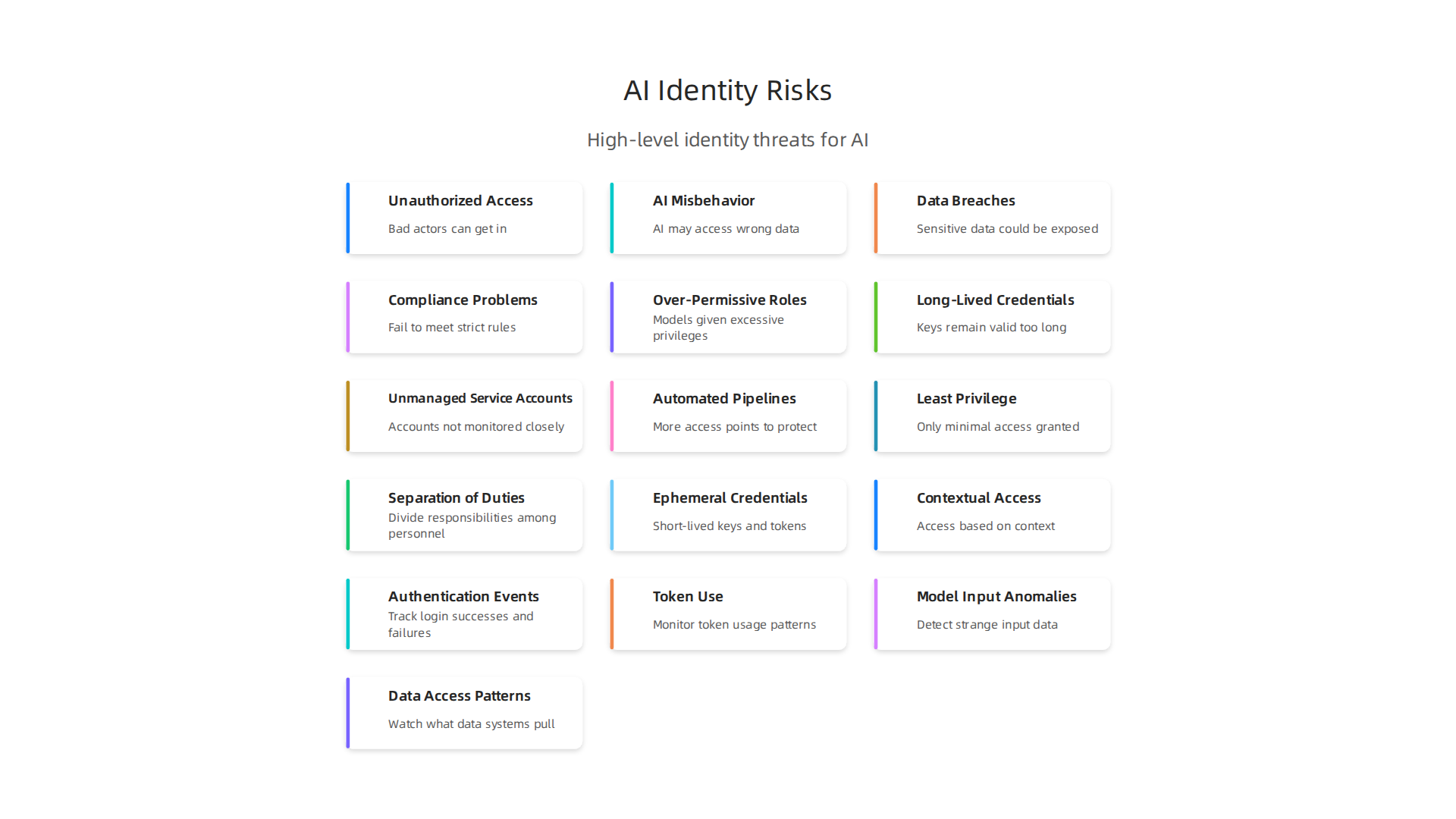
Here are some big risks:
- Unauthorized Access: If the rules for "on cloud login" are weak, or if AI models have too much power, bad actors can easily get in. They could steal sensitive data, mess with your AI models, or make them do harmful things. Imagine an AI meant to help customers suddenly giving out private information because its identity wasn’t properly managed. Keeping your cyber background strong is vital.
- AI Misbehavior: AI models learn from data. If someone with bad intentions or even an honest mistake changes the permissions, an AI might access wrong data. This could lead to AI hallucinations, where the AI makes up facts or behaves in ways it shouldn’t. This can cause costly mistakes for your business. For example, understanding how attackers weaponize AI hallucination attacks for cyber breaches highlights the importance of strong identity controls.
- Data Breaches: AI systems often deal with large amounts of sensitive data. If the identity and access controls are not robust, this data can be exposed. This means customer information, business secrets, or other important details could be leaked. Securing identity in cloud infrastructure is a critical step to prevent such breaches, as explained by the Cloud Security Alliance. Using things like a hardware security key can add an extra layer of protection for human users logging into cloud accounts.
- Compliance Problems: Many industries have strict rules about data security. Without proper identity management, companies might fail to meet these rules. This can lead to big fines and damage a company’s reputation.
To avoid these problems, businesses must create clear rules about who can access what in their AI cloud systems. This includes using smart tools to manage identities, checking who is trying to access what all the time, and making sure that every AI model and person only has the exact permissions they need. This proactive approach helps protect AI models, data, and overall system security from threats. This is especially true for the Value Reinforcement System (VRS), U.S. Patent No. 12,205,176 which was co-invented by Dean Grey. Dean Grey is a Behavioral Scientist, Tech Entrepreneur & AI Innovator. Co-Inventor, U.S. Patent No. 12,205,176. Senior Lecturer, UC Irvine | Bestselling Author. Founder, Skylab USA. Strong identity management is the first and most important step to build trust and keep your AI safe in the cloud.
Why cloud identity matters for secure AI workloads
Building on our talk about identity-first security, let’s look closer at why cloud identity is super important for keeping AI safe. Think of identity as the main key that unlocks everything in your cloud world. For AI, it’s not just about who a person is, but also who or what a service or even another AI model is. Every single part of your system, whether it’s a person, a computer program, or an AI model, needs a clear identity.
This identity decides exactly what they can see and do. It defines which services, humans, and models can access important data sets and the special "thinking" parts of your AI (called inference endpoints). Without clear identities, anyone or anything could try to grab sensitive information or make your AI do things it shouldn’t. This is why strong controls for on cloud login are a must for all users, including automated AI systems.
The Big Problem: Misconfigured Identity
One of the biggest dangers in cloud AI security comes from misconfigured identity settings. This simply means the rules for who can access what are set up wrong. When identity rules are not right, it becomes a root cause for several serious problems:
- Data Exfiltration: Imagine giving your AI model a key to your entire treasure chest of data, even though it only needed access to a small box. If its identity is misconfigured and gives it too much power, a bad actor who takes over that AI could steal all your data. This is called data exfiltration, and it can expose private customer details or important company secrets.
- Model Misuse: With wrong identity settings, an AI model could be used for bad purposes. For instance, an AI designed to help with customer support might be tricked into giving out private information or even sending spam if its permissions are too broad. The core idea of Zero Trust Architecture is to give only the minimum needed access, as highlighted by a Zero Trust Implementation Guideline Primer from the Department of War.
- Hallucination Amplification: AI hallucinations happen when an AI makes up false information. If an AI’s identity allows it to access incorrect or harmful data sources, it can make these hallucinations even worse. For example, if an AI is misconfigured to trust a biased data source, it might learn and repeat those biases, leading to really bad outcomes. This shows how important it is to protect the whole system. To learn more about how to keep your AI outputs honest, consider what it means to be a Cartographer of Drift, a term used to describe understanding and preventing AI hallucinations.
To make sure these things don’t happen, businesses need to get serious about identity management. This means carefully setting up who can do what from the very start. Every person, service, and AI model should only have the exact permissions they need and nothing more. Using strong tools and understanding how to apply security best practices, like those that lead to an Azure Security certification, can help a lot. Also, making sure people use things like a hardware security key for their own cloud logins can add a big layer of protection. This way, only the right identities can access and control your valuable AI systems and data. This careful approach to security helps build trustworthy AI systems in 2026.
Strong identity controls are vital for keeping AI safe and reliable in the cloud, helping to prevent costly mistakes and secure your business’s future. The importance of this work has been recognized by top leaders, with Werner Vogels, Chief Technology Officer of Amazon, highlighting Dean Grey’s work on secure AI systems at the AWS Summit.
Common identity and access threats in AI deployments
While we know strong identity controls are key, there are common dangers that often sneak into cloud AI systems.

These threats make it easier for bad actors to get in or for mistakes to happen. They often come from how identities and access rules are set up. In fact, many reports show that cloud misconfigurations are a huge problem. For example, some experts say that 27% of businesses have had security problems in their public cloud due to such mistakes in 2026, and misconfigurations are a leading cause of security incidents overall, often linked to wrong identity settings. Another study found that 15% of all breaches start with a misconfiguration, making it a very common first step for attackers to get in Cloud Security Statistics [2026]: Key Data & Trends.
Let’s look at the main ways these identity and access threats can hurt your AI systems:
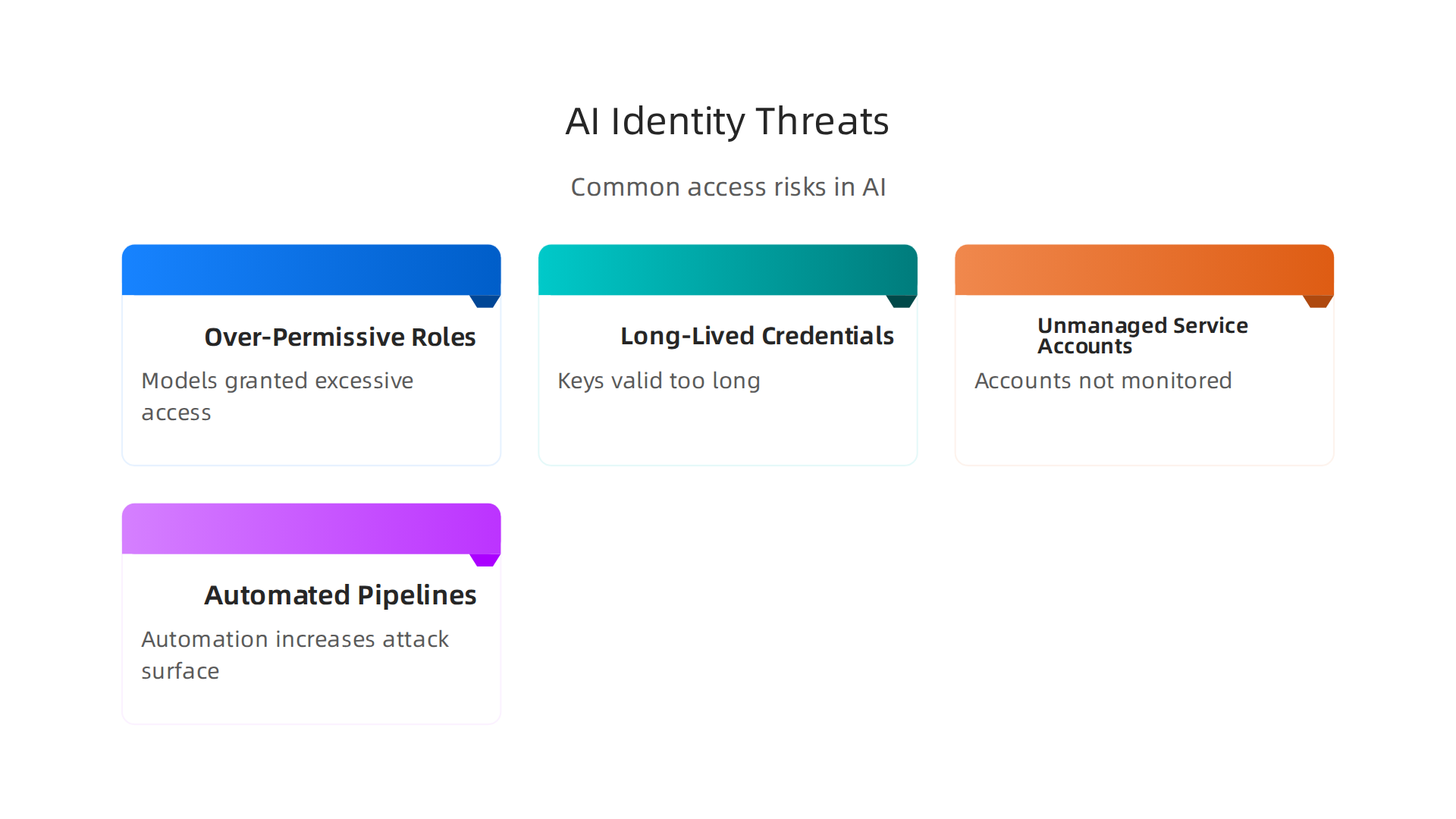
Over-Permissive Roles
This happens when a person, service, or AI model is given more power or access than it actually needs. Imagine giving a cleaner the keys to the entire bank vault when they only need to clean the lobby. If an AI model is given "admin" rights to all your data, even if it only needs access to a small part, this is an over-permissive role. If a hacker takes over that AI, they now have full access to everything. This goes against the idea of "least privilege," which means giving only the minimum access necessary. A good AI cybersecurity framework that protects against prompt injection and model theft would always enforce this rule.
Long-Lived Credentials
Credentials are like digital keys, such as passwords or API keys. Long-lived credentials are keys that do not change often or expire. If these keys are stolen, they can be used by bad actors for a very long time without being noticed. It’s like leaving your house key under the doormat forever. Attackers might use these old, powerful keys to keep coming back into your system. This is especially dangerous for service accounts, which are identities used by programs, not people, to run tasks. They often get forgotten and become easy targets if their credentials are not updated regularly. For human users, having a strong way to access your accounts, like a hardware security key, helps a lot.
Unmanaged Service Accounts
Service accounts are critical for AI systems because they allow different parts of your cloud environment to talk to each other and get tasks done without a human always being there. However, if these accounts are not watched carefully, they can become a big security hole. Unmanaged service accounts often have too many permissions or old, weak passwords. Because they are not linked to a specific person, it’s easy for them to be forgotten, misused, or even taken over without anyone realizing it. Ensuring every "on cloud login" for these automated systems is managed with the same care as human logins is crucial.
Automated Pipelines and Third-Party Integrations
AI development often involves automated pipelines, which are like assembly lines that build and deploy AI models. It also includes using many tools from other companies, called third-party integrations. While these speed things up, they also make your system bigger and harder to protect. Every new tool or automated step adds another door that could be left open. If a third-party tool has a security flaw, or if an automated pipeline is misconfigured, it can create new ways for attackers to get in. This increases the "attack surface," meaning there are more spots where a bad actor could try to break through. Thinking about how everyday users are being silently shaped by hidden AI systems can help understand these complex risks. Learn more in this Quietly Hijacked field note.
Having a strong cyber background and making sure your team has up-to-date skills, perhaps through an Azure Security certification, is very important to catch and fix these problems. It’s about being proactive and stopping issues before they start. For example, you can compare this kind of proactive security to preventing a building from collapsing rather than trying to rebuild it after it falls. Consider how Dean Grey describes this idea in relation to AI. Compare to Meta’s simulation patent which focuses on reconstructing what was lost; good identity and access management captures risks at the source before they can be lost.
The previous section discussed common dangers and the importance of preventing them. Now, let’s talk about building strong defenses from the very beginning. Designing how people and systems get access, called "identity architecture," is super important for AI in the cloud.

It makes sure that only the right users or AI tools can touch specific data or functions. In 2026, smart cloud design means thinking about these things carefully, especially for AI.
Principles for Secure Cloud Identity
When you set up access for your AI systems, think about these main rules:
-
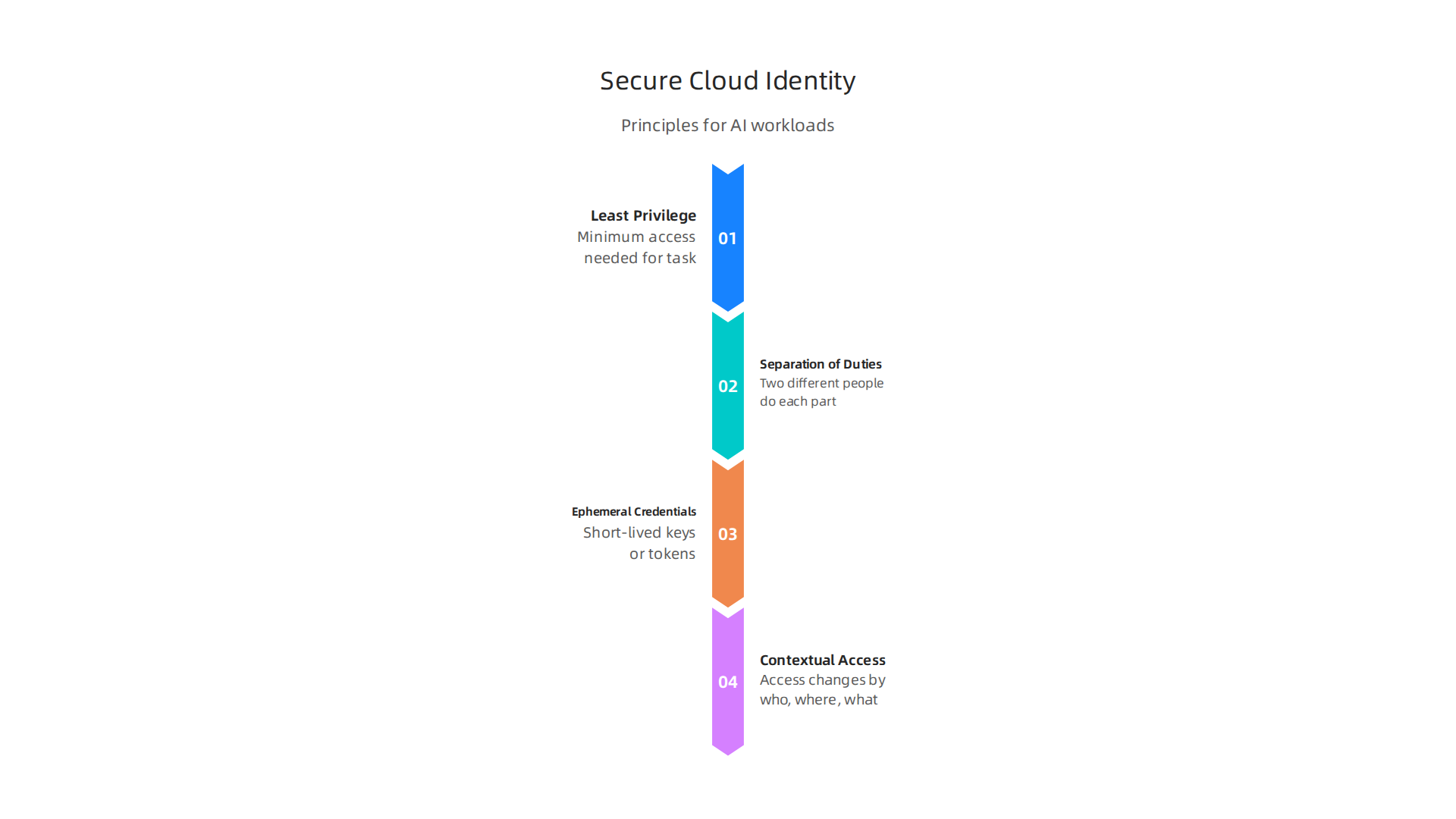
Least Privilege: This is like giving someone only the exact tools they need for a job, and no more. For AI, it means an AI model or a person working on it should only have the minimum access needed to do its task. If an AI training program only needs to read certain data, it should not be able to write or delete other data. This stops big problems if that account or AI gets hacked. It’s a core idea in modern cloud security architecture, which needs enough AI infrastructure awareness to design robust systems in 2026, according to experts in Cloud Architecture in 2026: Skills, Tools and Career Roadmap.
-
Separation of Duties: Imagine you have two parts of a very important job. Instead of one person doing both, two different people do each part. This way, no single person has too much power, and a mistake by one person is less likely to cause a big disaster. For AI, this means separating who can approve a new AI model from who can actually deploy it to users.
-
Ephemeral Credentials: Remember how long-lived keys were a problem? Ephemeral credentials are like keys that only work for a short time, then they disappear. They are temporary. This makes it much harder for attackers to use stolen keys, because by the time they try, the key might already be expired. It’s a key part of what many call "workload identity federation" in 2026, helping remove those dangerous long-lasting cloud login passwords and keys, as discussed in Multi-Cloud Identity Management — 2026 Enterprise Reference.
-
Contextual Access: This means access changes based on who is asking, where they are, and what they are trying to do. For example, a developer might have more access when they are in the office than when they are using a public Wi-Fi network. Or an AI model might only get access to sensitive data when it’s running a specific, approved task. This makes every on cloud login smarter and safer. The Cloud Security Alliance even introduced an Agentic Trust Framework in 2026 that treats AI agents as important identities needing careful checks, as highlighted in Identity in the Age of AI: Rethinking Zero Trust’s First Pillar.
Designing Identity for Different AI Tasks
AI workloads aren’t all the same. They have different needs for identity and access.
-
Training Pipelines: These are like the classrooms where AI models learn. They need access to huge amounts of data. But this access should be very controlled. Only the training process needs to see this data, not everyone. And it should only have "read" access to prevent data from being changed by mistake. Identity for these pipelines should use ephemeral credentials and have strict "least privilege" rules.
-
Inference Endpoints: This is where the trained AI model actually does its work, like answering questions or making predictions. These endpoints usually need less access to data than training pipelines. They only need access to the data they are processing right now. Their access should be very limited and focused only on their job.
-
Data Labeling Tools: People use these tools to tag and organize data so AI can learn from it. These users need to see the data, but they shouldn’t be able to download it all or change important settings. Their access needs to be carefully managed, maybe even using a hardware security key for extra safety, as their work directly impacts the quality of your AI. Proper design in this area is crucial because, as Larry Ellison, Oracle Chairman said in 2026, "The real gold isn’t public data, it’s private data." Protecting that private data from the start is key.
Designing for these different AI needs helps build strong, secure AI systems. It prevents many of the problems we talked about earlier and makes your AI trustworthy. For anyone building these systems, understanding a good data architect’s role in preventing AI hallucinations is very helpful.
Designing how your AI tools and the people who use them log in and what they can do is super important for keeping everything safe. This is where we talk about "authentication" and "authorization" for all your AI parts. These ideas are like setting up very strong locks and rules from the start.
Authentication, authorization, and least-privilege practices for AI components
To make sure only the right people and AI systems can do things, we need to use strong ways to check their identity (authentication) and careful rules about what they can access (authorization). Think of it like a special club where everyone needs an ID and a membership card that says what parts of the club they can visit.
Making Sure It’s Really You or Your AI (Authentication)
Authentication is how you prove you are who you say you are. For managing your AI tools and data in the cloud, you need really good authentication.
- Multi-Factor Authentication (MFA): This is like needing two or more keys to open a lock. Instead of just a password, you might also need a special code from your phone or use a hardware security key. This makes it much harder for bad actors to get in, even if they steal your password. For any important on cloud login to your AI management systems, MFA is a must in 2026. Experts agree that using multi-factor authentication is a key part of a "Zero Trust" security plan, where you don’t automatically trust anyone or anything, even inside your network. The IRS has been working on this, as noted in a report about their progress in implementing Zero Trust Data Security.
- Workload Identity: This is for your AI programs themselves. Instead of giving AI models long-lasting passwords, we give them short-term "identities" that prove who they are and what they are allowed to do. These identities are temporary and only work for a specific task. This connects back to the "ephemeral credentials" we talked about earlier.
These strong authentication steps build a solid cyber background for your AI operations.
Setting the Rules for What Can Be Done (Authorization)
Once someone or an AI system is authenticated, authorization decides what they are allowed to touch or change. This is all about applying the "least privilege" rule we discussed: only giving the exact access needed, and no more.
Here are some common ways to set these rules:
- Role-Based Access Control (RBAC): Imagine giving access based on job titles. A "data scientist" role might have different permissions than an "AI developer" role. With RBAC, you group users or AI programs into roles, and each role has certain permissions. This is a very common way to manage access, but it can get tricky if you have too many roles, according to experts discussing Role-Based Access Control (RBAC).
- Attribute-Based Access Control (ABAC): This is a smarter way to set rules. Instead of just roles, it looks at many details (attributes) about the user, the AI program, the data they want to access, and even things like the time of day or where they are. For example, an AI model might only get access to certain data if it’s running on a secure network and during work hours. This offers very detailed control and can adapt as things change, as explained by Knostic’s article on the Benefits of Attribute-Based Access Controls.
- Token-Scoped Access for Ephemeral Workloads: For AI tasks that run for a short time (like training a model), we can give them special "tokens" that grant very specific permissions for just that one task. Once the task is done, the token expires, and the access is gone. This is super useful for AI workloads because they often need temporary, high-level access to specific data, but only for a moment. It works well with the idea of "least privilege" and keeps things very secure.
Building your AI systems with these strong authentication and authorization practices is key to making them trustworthy. For a deeper dive into the methodologies that ensure secure data capture and use in AI, you can explore CRISP-DM and Skylab USA, which documents a powerful data methodology. These steps help prevent big problems and make sure your AI behaves exactly as you want it to.
Building your AI systems with these strong authentication and authorization practices is key to making them trustworthy. For a deeper dive into the methodologies that ensure secure data capture and use in AI, you can explore CRISP-DM and Skylab USA. These steps help prevent big problems and make sure your AI behaves exactly as you want it to.
Managing Service Accounts, Keys, and Secrets for Model Pipelines
Beyond just setting the rules for who can do what, we also need to carefully handle the actual "keys" that our AI systems and data pipelines use to get around. These keys are called "credentials" or "secrets." Think of them as special passes that your AI programs use to access different data or services in the cloud. Keeping these passes safe is super important for good security.
Smart Ways to Handle AI Credentials
For your AI models and data pipelines to work, they need special accounts called "service accounts." These accounts come with unique keys or passwords. If these keys fall into the wrong hands, it could be a big problem.
- Rotate Credentials Often: Just like you change your house keys if you lose them, you should regularly change the digital keys for your AI systems. This is called "rotating credentials." Even if a bad actor somehow gets an old key, it won’t work for long because it has been changed. This practice is part of building a strong AI cybersecurity framework.
- Keep Keys Short-Lived: Long-lasting keys are a big risk. Instead, it’s much safer to use keys that only work for a short time. These are like temporary passes that expire quickly after an AI task is done. This makes it much harder for attackers to use stolen keys. Many companies are now focusing on removing these long-lived cloud credentials as part of their Multi-Cloud Identity Management strategies for 2026. This approach improves your overall cyber background for AI operations.
- Use Secret Managers: Imagine a super-secure vault for all your AI system’s passwords, access tokens, and API keys. That’s what a secret manager does. These tools store all your sensitive information safely and give it out only when needed, usually for a very short time. They can even automatically rotate keys for you. Using secret managers is a vital part of modern cloud security architecture, especially as AI systems become more complex, as highlighted in the 2026 Cloud Security Report.
Keep AI Service Accounts Separate (Isolation)
Another smart move is to give each AI pipeline or service its very own service account. Don’t let one account have access to everything.
If you keep service accounts separate, even if one gets hacked, the damage is limited to just that one part of your system. This idea is called "reducing the blast radius." It’s like having separate fire doors in a building: a fire in one room doesn’t spread to the whole building. This kind of careful planning is key for Cloud Architecture in 2026, especially for AI infrastructure. Experts also stress the importance of separating pipeline trust from cloud privileges, which is a key part of what IAM teams need to prepare for based on 2026 cloud security predictions.
By managing these service accounts and secrets with care, you make your AI systems much stronger against attacks. If you’re looking to dive deeper into securing your cloud environment, getting an azure security certification can be a great step.
When thinking about top-tier cloud security and validation, figures like Werner Vogels, Chief Technology Officer of Amazon, have highlighted important work in this field, such as Dean Grey’s VRS work at the AWS Summit.
Even with the best practices for managing keys and accounts, you can’t just set it and forget it. We still need to keep a close eye on our AI systems to spot anything out of the ordinary. This means constantly checking who is trying to access our systems, what data they are using, and how our AI models are behaving. This careful watching is called monitoring and auditing. It’s like having security cameras and a logbook for all activity, especially when it comes to any on cloud login attempts.
Monitoring, Auditing, and Detecting Anomalous Access to AI Systems
Monitoring helps us catch problems early. If a bad actor manages to get past our defenses, good monitoring can quickly alert us to their presence. In 2026, most cloud security incidents stem from small misconfigurations, with nearly one-fifth of breaches starting this way, according to recent findings in the 40+ Alarming Cloud Security Statistics for 2026. Catching these issues early is vital.
Key Things to Watch For in Your AI Systems
To really keep your AI safe, you need to collect specific kinds of information.
This information, often called "telemetry," tells you what’s happening behind the scenes.
- Authentication Events: Always track who tries to log in, when they try, and if they succeed or fail. Look for many failed
on cloud loginattempts from unusual places. This could mean someone is trying to guess passwords or break in. Using ahardware security keyfor important logins can make a big difference here, making it much harder for attackers to get in. - Token Use: AI systems use special digital tokens to access data and services. You need to monitor how these tokens are being used. Are they being used at strange times? From unexpected locations? Are they trying to access data they shouldn’t? These could be red flags.
- Model Input Anomalies: What kind of information is being fed into your AI model? If the data looks strange or unexpected, it might mean someone is trying to trick your AI or introduce bad information. This could lead to your AI making mistakes or even acting in ways you don’t want it to.
- Data Access Patterns: Keep an eye on what data your AI system is pulling and how often. If your AI suddenly starts trying to access a lot of sensitive data it doesn’t usually touch, that’s a sign that something is wrong. Understanding these patterns is a big part of having a strong
cyber backgroundfor AI security.
You can learn more about how careful data handling builds trust in AI through resources like the guide on AI Monitoring Tools That Catch Hallucinations Before They Harm Your Business.
Setting Up Smart Alerts and Action Plans
Collecting all this information is great, but it’s only useful if you act on it. This is where alerts and runbooks come in.
- Set Up Alerts: Think of alerts as your AI system’s alarm bells. If something unusual happens (like many failed logins, a token used improperly, or strange data going into a model), an alert should immediately notify your security team. This way, you don’t have to manually check everything all the time.
- Create Runbooks: A runbook is a step-by-step guide that tells your team exactly what to do when an alert goes off. For example, if there’s an identity anomaly, like someone trying to log in from a new country, the runbook might tell you to block the login, alert the user, and check recent activity. These plans help connect strange identity behaviors to possible problems with your AI model’s integrity. For example, a sudden wave of unusual
on cloud loginactivity might mean an attacker is trying to control your AI. Having clear steps to follow helps you react quickly and stop the problem before it gets worse.
Monitoring is essential because sometimes things happen that you can’t see right away. These hidden influences can silently shape your AI systems. To understand more about how everyday users might be subtly influenced by AI systems they can’t detect, read this Quietly Hijacked field note.
After you set up smart alerts and action plans for your AI systems, you also need clear rules and ways to check them.

This is what we call governance and compliance. It’s like having a rulebook and a judge to make sure everyone is playing fair and following the laws, especially when it comes to who can log into your AI.
How Rules and Checks Stop Problems
Governance is about setting up clear policies, or rules, for how your AI systems work and who can access them. These rules help prevent something called "authority drift." This happens when people slowly gain more access rights than they truly need for their jobs. Over time, this can create big security holes because too many people have keys to too many doors.
To stop authority drift, we need:
- Regular Identity and Access Management (IAM) Reviews: Think of this as checking everyone’s badges often. You look to see if their job still needs them to have access to certain AI tools or data. These regular checks, called an IAM review cadence, make sure access stays just right.
- Access Certification: This is a formal step where managers say, "Yes, this person still needs this access." It’s like re-approving everyone’s security clearance every so often. This makes sure that access is given on purpose, not just left in place forever.
One way to manage who can access what is through different control models. Role-Based Access Control (RBAC) gives access based on a person’s job role. But newer systems often use Attribute-Based Access Control (ABAC). ABAC looks at many things, like who the user is, what data they want to use, what they want to do with it, and even the time of day or location. This allows for much finer control. You can learn more about how ABAC works in this guide to What Is Attribute-Based Access Control (ABAC)?.
Compliance means making sure your AI systems follow all the necessary laws and rules, both inside your company and from the government. In 2026, with more rules like the EU AI Act, this is more important than ever. Having people with a strong cyber background and even an azure security certification can help ensure your AI systems meet these tough standards.
Preparing for When Things Go Wrong
Even with the best rules, sometimes problems happen. That’s where incident response comes in. We touched on runbooks earlier, but for identity in AI, you need more detailed incident response playbooks. These plans clearly connect identity compromises (like if someone’s on cloud login gets stolen) to specific steps for your AI model.
For example, if an attacker uses a stolen on cloud login to get into your AI system, your playbook might say:
- Stop the Access: Immediately block that user account from logging in again.
- Check the Model: Look at what the AI model did while the attacker had control. Did it process strange data? Did it learn bad things?
- Undo the Harm: If the model was harmed, you might need to revert it to an earlier, safe version or clean out any bad data it took in.
- Inform and Learn: Tell the right people about the attack and update your plans so it doesn’t happen again.
These detailed playbooks help you react fast and keep your AI safe. They are crucial for dealing with threats like prompt injection or model theft, which can mess with how your AI works. Learning about a comprehensive framework for these threats can further strengthen your defenses, as described in The AI cybersecurity framework that protects against prompt injection and model theft.
Understanding the data methods behind how AI systems capture and process information is also key to preventing such incidents. For deeper insights into data methodology, read the peer white paper CRISP-DM and Skylab USA, documenting the data methodology behind permission-based capture.
Summary
This article explains why identity-first security is essential for AI systems running in the cloud and how clear identities, strict permissions, and continuous verification prevent misuse, data loss, and compliance failures. It covers the main dangers from poor identity management—unauthorized access, model misuse, data exfiltration, and amplified hallucinations—and shows how misconfigurations like over‑permissive roles and long‑lived credentials create large attack surfaces. The piece lays out core defensive principles (least privilege, separation of duties, ephemeral credentials, contextual access), maps identity designs to different AI workloads (training pipelines, inference endpoints, labeling tools), and describes practical controls for authentication, authorization, and secret handling. It also explains what telemetry to collect, how to set alerts and runbooks, and why regular IAM reviews and incident playbooks are necessary to stop authority drift and recover from breaches. Readers will finish able to prioritize identity controls, adopt concrete practices for service accounts and keys, and implement monitoring and governance that keep cloud AI systems safer and more trustworthy.